Load the character animation
In the following procedure, you load the character animation you saved earlier.
To load the character animation:
This procedure assumes you have just completed the previous procedure.
See Create a scene.
Go to the Character Controls window.
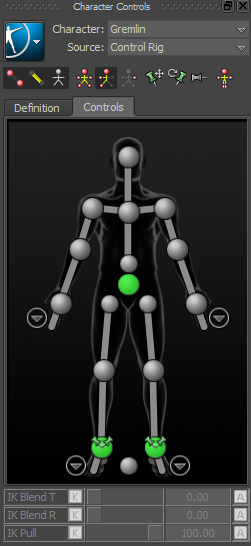
Left-click the Character Controls window menu button and choose File
 Load Character Animation from the context menu.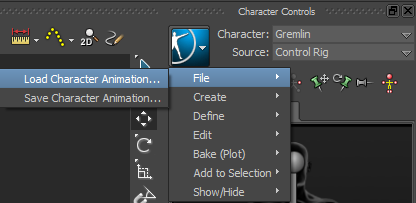
In the Open File(s) dialog, navigate to the directory where you saved the character animation (in the procedure Save the character animation), select the file and click Open.
The Load Character Animation Options dialog appears.
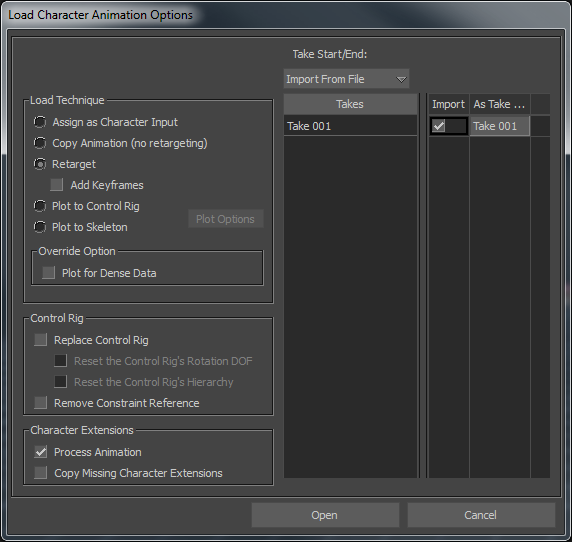
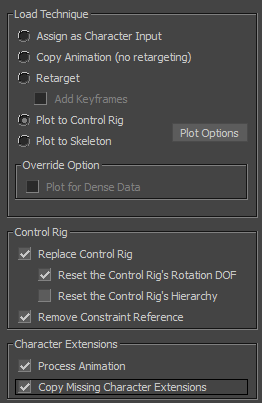
In the Load Character Animation Options dialog, choose the following settings:
- Under the Load Technique group, select the Plot to Control Rig option.
- Under the Control Rig group, activate the Replace Control Rig option.
- Under the Control Rig group, activate the Reset Control Rig’s Rotation DOF option.
- Under the Control Rig group, activate the Remove Constraint Reference option.
- Under the Character Extensions group, ensure the Process Animation option is activated.
- Under the Character Extensions group, activate the Copy Missing Character Extensions option.
Click Open.
Mia’s animation, Control rig, and character extension are loaded onto the Gremlin character.
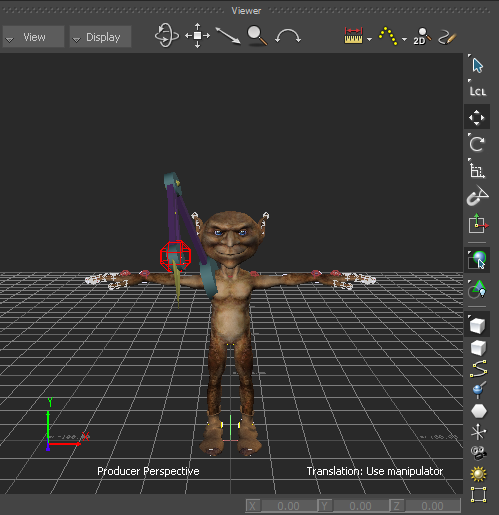
Mia’s animation and Control rig loaded onto the Gremlin character
Because Mia’s Servo arm is parented to her right shoulder effector, the Servo arm is attached in the same way to the Gremlin character.