Adding Element assets
To add an Element asset to a scene:
- Drag an Elements folder asset from the Asset browser’s Elements folder into the Viewer window.
- The asset appears in the Viewer window. The Navigator window updates to display settings for the asset.
To add multiple assets to your scene:
Double-click the asset in the Asset browser.
The cursor becomes a cross hair.
Note:This procedure applies only to the 3D Curve, Camera, stereoCamera, Cube, Light, Marker, Null, Optical, Plane, Skeleton node, and Skeleton root assets.
Click anywhere in the Viewer window to place assets at that point.
The Viewer window updates displaying assets being added to the scene. In the following figure, multiple lights are added.
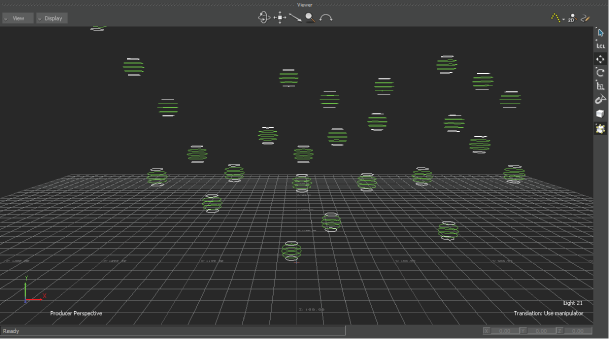
Viewer window displays multiple lights
The Navigator window updates to display settings for those assets.
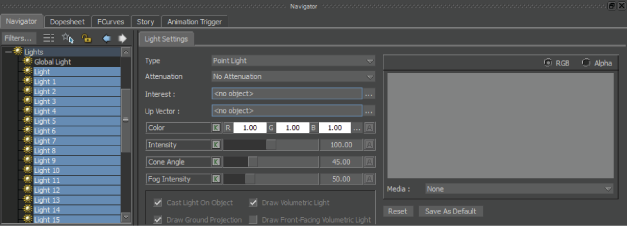
Navigator displays asset settings
If you are creating a 3D Curve, you must press Enter to accept the operation or press Escape to cancel it. For more information, see Create a 3D curve.
There is more specific information on adding Element assets in their respective sections.