Deletes individual support geometry based on type and placement in Z
| Parameter | Description | Notes |
|---|---|---|
| Description |
Holds a text label for the action that remains visible even when the action parameters are collapsed in the script tab |
|
 Color
Color
|
Sets a display color for the support elements generated by this action |
Cannot be reverted once changed, only explicitly set to a new color Ignored for this action |
|
Support type
|
This action works only one type of support at a time. Use separate instances of this action to process other types. |
Bar, Polyline, Volume |
|
Z range
|
Enable or disable filtering by Z range above build platform |
|
|
Above Z value, Below Z value Apply Z range to |
Only those support elements are selected for modification that fall into this Z range above build platform either fully or at least partly |
Entire entity, Upper end, Lower end |
|
Height
|
Enable or disable filtering by vertical extension independent from absolute Z values |
|
| Minimum bounding box height, Maximum bounding box height |
Limit selection of support elements by their vertical extension |
|
|
Volume
|
Disable filtering based on volume completely or choose between open and closed or solid supports |
|
|
Minimum support volume,
Minimum support volume
|
Limit selection of closed or solid support elements by their volume |
Unavailable when filtering is disabled or set to Open supports |
| Connected support handling |
Supports consisting of multiple connected elements, like bars in bouquets, can either count as a whole for this filtering or have their individual elements count separately. For example, keep a long solid-bar stem and convert only the shorter branches to thin bars with single-pass cross-type cross-sections. |
Depends on selection of Support type |
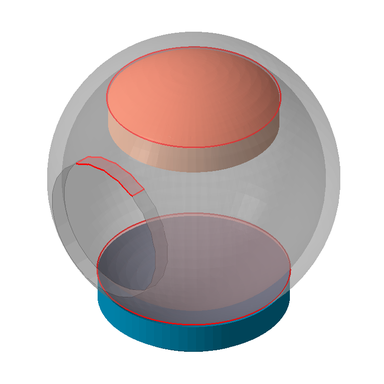
Two conforming shadow volumes generated by the same Volumes on areas action. Then Modify supports was used to change the display color those volumes that failed the removability check. Delete supports could be used in the same way to delete those volumes.