Prepare and run multi-stage packing that combines Scanline and Monte Carlo packing
Note:  This packing command has been removed from the menu. It is now only available as a Lua script.
This packing command has been removed from the menu. It is now only available as a Lua script.
Using the packer with values matching your build project as opposed to using default values is recommended.
Determine size thresholds
The packer requires two thresholds to put the parts into three groups. To find these thresholds, Volume threshold A and Volume threshold B, you can use the packer's histogram function.
If you specify too small a center space for any part to fit into, only the scanline part of the packer runs.
- Add parts to pack to the buildroom.
- Click
.
- If the Lua script is already available in your script library from a previous run, skip these steps. Otherwise:
- Click New script and accept the security note
- Click Load script.
- Navigate to the Netfabb installation folder. Here, navigate to Examples\Lua scripts\, select Script30_AdvancedPackingScript.lua.
- Click Open, then click Save.
- From the
Lua script library, select
Script30_AdvancedPackingScript.lua (by default), or whichever name you saved the script under previously.
- Click Execute script.
- Select the tab Size distribution.
- Examine the histogram and make your decision for values to use as thresholds.
Recommendation: Determine center space size
- To determine the size of the center space, a good start can be to assume a multiple of the bounding box size of a part that is to be packed in the center space. To quickly check a bounding box size, select a part and check the context view.
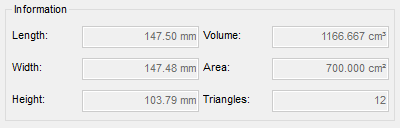
Example: The selected part is roughly 15 by 15 by 11 cm in size.
Take the values of any two sides. Depending on the size you decide to give the center space later, the part may end up rotated.
- Next, take buildroom size. It is always displayed at the bottom of the 3D view.
- Take the smaller one and subtract half the bounding box multiple you decided for. This is the result, the Distance to side walls, to specify in the actual packing dialog.
Set up and run the packer
- From the
Lua script library, select
Script30_AdvancedPackingScript.lua (by default), or whichever name you saved the script under previously.
- Specify the values for Distance to side walls and Volume threshold A and Volume threshold B.
- Adjust the values on the tab Packer settings as needed.
- Click Start.