- On the ribbon, click Home tab
 Pipe Supports panel Create.
 - In the Add Pipe Support dialog box, click Use AutoCAD Block.
- Do one of the following:
-
- Click Choose Block from Model.
- In the drawing area, select a block.
-
- Click Import Block from DWG.
- In the Select Block Definition dialog box, open a drawing and click a block that has zero ports specified using plantpartconvert.
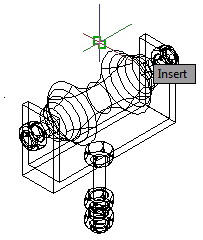
The insertion point of the block matches the piping centerline.
-
- Click OK.
- Snap to connect to pipe.
- Press ENTER to finish adding pipe supports.