Working with Scripts
VRED Professional supports custom Python modules (script plugins). Use the Script Editor (Edit > Script Editor) for creating and editing scripts. Use script plugins and the Terminal (View > Terminal) to view messages and commands. For more information on Python scripts, please check the Python Documentation.
For videos on scripting, see the following:
Here's what you can expect from the Script Editor:
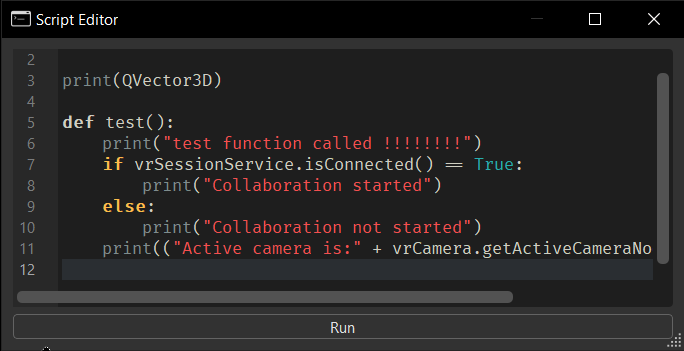
- Dark theme
- Fira Code font to make the coding experience better
- Highlighted syntax
- Ligatures support, so multiple characters appear to combine into a single character: "!=", ">=", "==>", "www"
- Autocomplete for VRED python commands
Ctrl+Fsearch functionality- Find and Replace functionality
Ctrl+GGo To Line functionality
How to Run a Script
Use either the main VRED window or Script Editor (Edit > Script Editor) to run a script.
- From the main VRED window, in the Menu Bar, select Edit > Run Script to run the script currently in the Script Editor.
- From the Script Editor, click Run.
With the Script Editor, every time you press Run, it destroys all objects created in a previous run of the Script Editor and is freed and cleaned up by Python's garbage collection.
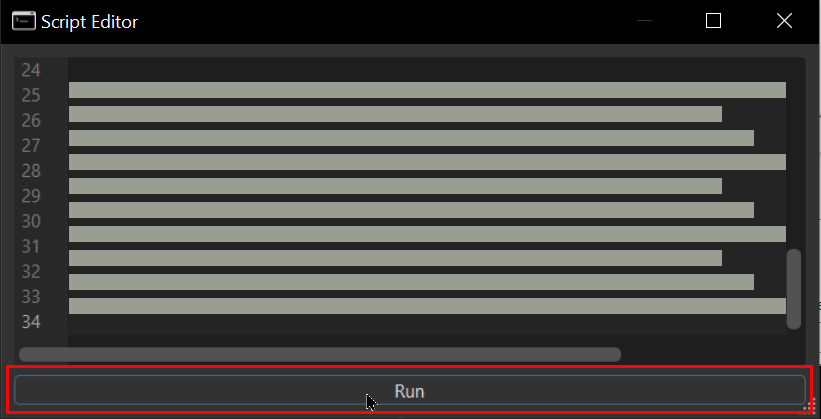
It will NOT remove any objects not in the script that is loaded into the editor. You can create object instances through the command line in the Terminal that will not be touched when Run is pressed.
Here's a simple test:
class test(object):
    def __init__(self):
        print("create")

    def __del__(self):
        print("destroy")

t = test()
Running this in the Script Editor demonstrates that clicking Run cleans up before executing the script again.
How to View Messages and Run Python Commands
Use the Terminal window to view errors and warnings, as well as run Python commands.
- To open the Terminal, in the Menu Bar, select View > Terminal.
- To save the output to a file, right-click inside the Terminal and select Save output.
Keyboard Shortcuts
There are a couple hotkeys available for the Script Editor:
Ctrl + FOpens the Find DialogCtrl + ROpens the Replace DialogCtrl + GGo To Line function