面取りボックス: GeometryClass
ChamferBox - superclass: GeometryClass; super-superclass:node - classID: #(450314048, 1223298967)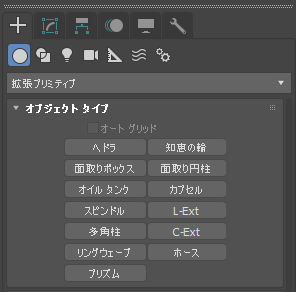
コンストラクタ:
chamferBox... プロパティ
<ChamferBox>.length Float default: 0.1 -- animatable; worldunitsオブジェクトの長さ。
<ChamferBox>.width Float default: 0.1 -- animatable; worldunitsオブジェクトの幅。
<ChamferBox>.height Float default: 0.1 -- animatable; worldunitsオブジェクトの高さ。
<ChamferBox>.smooth booleanclass default: true -- boolean1 - スムージングを有効にします。
0: スムージングを無効にします。
<ChamferBox>.mapCoords booleanclass default: true -- boolean1: マッピング座標を有効にします。
0: マッピング座標を無効にします。
<ChamferBox>.Fillet Float default: 0.01 -- animatable; worldunits面取りボックスのエッジをスライスします。
数が大きくなると、面取りボックスがより多くフィレットされます。
<ChamferBox>.Length_Segments Integer default: 1 -- animatableオブジェクトの長さに沿った分割数。
<ChamferBox>.Width_Segments Integer default: 1 -- animatableオブジェクトの幅に沿った分割数。
<ChamferBox>.Height_Segments Integer default: 1 -- animatableオブジェクトの高さに沿った分割数。
<ChamferBox>.Fillet_Segments Integer default: 3 -- animatableフィレットされたボックス エッジ内のセグメント数。
フィレット セグメントを追加すると、エッジの丸みが増します。
入力プロパティ:
3ds Max 2018 以降で使用可能: これらのプロパティには、各ジオメトリ オブジェクトの[キーボード入力](Keyboard Entry)ロールアウトのパラメータが反映されます。任意の既存オブジェクトにこれらのパラメータを設定できます。
<ChamferBox>.typeinCreationMethod Integer default: 0 -- integer; Creation_Method作成方法を取得または設定します。有効な値は次のとおりです。
- 0 = 矩形
- 1 = 立方体。typeInLength プロパティのみ使用されます。
<ChamferBox>.typeInHeight     Float    default: 0.1   --  float; Height
<ChamferBox>.typeInLength     Float    default: 0.1   --  float; Length
<ChamferBox>.typeInWidth     Float    default: 0.1   --  float; Width
高さ、長さ、および幅の[キーボード入力](Keyboard Entry)値を取得または設定します。
<ChamferBox>.typeInPos Point3 default: [0,0,0] -- point3; Type_in_Position[キーボード入力](Keyboard Entry)の位置の値を取得するか、Point3 として設定します。
<ChamferBox>.typeInFillet Float default: 0.01 -- float; Filletフィレットの[キーボード入力](Keyboard Entry)値を取得または設定します。
インタフェース:
Interface:realWorldMapSizeInterfaceプロパティ:
.realWorldMapSize: boolean : Read|Writeリアル ワールド マップ サイズ オプションを有効/無効にします。
3ds Max 8 以降 で使用可能です。