Cylinder: GeometryClass
Cylinder - superclass: GeometryClass; super-superclass:node - classID: #(18, 0)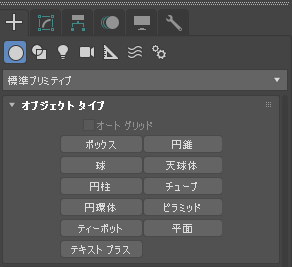
コンストラクタ:
cylinder... プロパティ
<Cylinder>.radius Float default: 15.0 -- animatable; worldunits円柱の半径です。
<Cylinder>.height Float default: 25.0 -- animatable; worldunits中央の軸に沿った高さ。
負の値を指定すると、作図平面の下に円柱を作成します。
<Cylinder>.heightsegs Integer default: 1 -- animatable, alias: Height_Segments円柱の主軸に沿った分割数。
<Cylinder>.capsegs Integer default: 1 -- animatable, alias: Cap_Segments円柱の上下の中心の周囲の同軸分割数。
<Cylinder>.sides Integer default: 24 -- animatable円柱の周囲の側面数。
[スムーズ] (Smooth)オンの状態で数が大きくなると、真円がシェーディングおよびレンダリングされます。
[スムーズ] (Smooth)オフの状態で数が小さくなると、通常のポリゴン オブジェクトが作成されます。
<Cylinder>.smooth booleanclass default: true -- animatableオンの場合、円柱の面をブレンドして、スムーズな外観をレンダリング ビューに作成します。
<Cylinder>.slice booleanclass default: false -- animatable; boolean; alias: sliceon, slice_onslice 関数をオンまたはオフにします。
<Cylinder>.sliceFrom Float default: 0.0 -- animatable, angle, alias: Slice_Fromスライスの(ローカル Z 軸上の)開始角度を設定します。
<Cylinder>.sliceTo Float default: 0.0 -- animatable, angle, alias: Slice_Toスライスを終了する(ローカル Z 軸上の)角度を設定します。
<Cylinder>.mapCoords booleanclass default: false -- boolean; alias: generate_texture_coordsオンの場合、マップされたマテリアルを円柱に適用できるように、要求された座標を設定します。
入力プロパティ:
3ds Max 2018 以降で使用可能: これらのプロパティには、各ジオメトリ オブジェクトの[キーボード入力](Keyboard Entry)ロールアウトのパラメータが反映されます。任意の既存オブジェクトにこれらのパラメータを設定できます。
<Cylinder>.typeinCreationMethod Integer default: 1 -- integer; Creation_Method作成方法を取得または設定します。有効な値は次のとおりです。
- 0 = エッジ
- 1 = 中揃え
<Cylinder>.typeInHeight Float default: 0.01 -- float; Height高さの[キーボード入力](Keyboard Entry)値を取得または設定します。
<Cylinder>.typeInRadius Float default: 0.0 -- float; Radius[半径 1](Radius 1) (下部)および[半径 2] (Radius 2) (上部)の[キーボード入力](Keyboard Entry)値を取得または設定します。
<Cylinder>.typeInPos Point3 default: [0,0,0] -- point3; Type_in_Position[キーボード入力](Keyboard Entry)の位置の値を取得するか、Point3 として設定します。
インタフェース:
Interface:realWorldMapSizeInterfaceプロパティ:
.realWorldMapSize: boolean : Read|Writeリアル ワールド マップ サイズ オプションを有効/無効にします。3ds Max 8 以降で使用可能です。