オブジェクトの TransformBy メソッドとマトリックスの Rotation メソッドを使用して、2D で指定した点を中心としてオブジェクトを回転させることができます。2D オブジェクトの回転の方向は、Z 軸を中心にしています。3D オブジェクトの場合、回転の軸は Z 軸に限定されません。Rotation メソッドを使用するときに、回転軸として Z 軸を使用する代わりに、特定の 3D ベクトルを指定します。
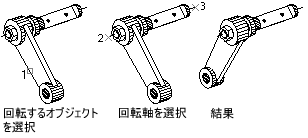
直方体を作成し軸を中心に回転する
次の例では、直方体を作成します。回転軸を定義し、最終的にこの軸を中心に直方体を 30 度回転させます。
C#
using Autodesk.AutoCAD.Runtime;
using Autodesk.AutoCAD.ApplicationServices;
using Autodesk.AutoCAD.DatabaseServices;
using Autodesk.AutoCAD.Geometry;

[CommandMethod("Rotate_3DBox")]
public static void Rotate_3DBox()
{
    // Get the current document and database, and start a transaction
    Document acDoc = Application.DocumentManager.MdiActiveDocument;
    Database acCurDb = acDoc.Database;

    using (Transaction acTrans = acCurDb.TransactionManager.StartTransaction())
    {
        // Open the Block table for read
        BlockTable acBlkTbl;
        acBlkTbl = acTrans.GetObject(acCurDb.BlockTableId,
                                        OpenMode.ForRead) as BlockTable;

        // Open the Block table record Model space for write
        BlockTableRecord acBlkTblRec;
        acBlkTblRec = acTrans.GetObject(acBlkTbl[BlockTableRecord.ModelSpace],
                                        OpenMode.ForWrite) as BlockTableRecord;

        // Create a 3D solid box
        using (Solid3d acSol3D = new Solid3d())
        {
            acSol3D.CreateBox(5, 7, 10);

            // Position the center of the 3D solid at (5,5,0)
            acSol3D.TransformBy(Matrix3d.Displacement(new Point3d(5, 5, 0) -
                                                        Point3d.Origin));

            Matrix3d curUCSMatrix = acDoc.Editor.CurrentUserCoordinateSystem;
            CoordinateSystem3d curUCS = curUCSMatrix.CoordinateSystem3d;

            // Rotate the 3D solid 30 degrees around the axis that is
            // defined by the points (-3,4,0) and (-3,-4,0)
            Vector3d vRot = new Point3d(-3, 4, 0).
                            GetVectorTo(new Point3d(-3, -4, 0));

            acSol3D.TransformBy(Matrix3d.Rotation(0.5236,
                                                    vRot,
                                                    new Point3d(-3, 4, 0)));

            // Add the new object to the block table record and the transaction
            acBlkTblRec.AppendEntity(acSol3D);
            acTrans.AddNewlyCreatedDBObject(acSol3D, true);
        }

        // Save the new objects to the database
        acTrans.Commit();
    }
}
VB.NET
Imports Autodesk.AutoCAD.Runtime
Imports Autodesk.AutoCAD.ApplicationServices
Imports Autodesk.AutoCAD.DatabaseServices
Imports Autodesk.AutoCAD.Geometry

<CommandMethod("Rotate_3DBox")> _
Public Sub Rotate_3DBox()
    '' Get the current document and database, and start a transaction
    Dim acDoc As Document = Application.DocumentManager.MdiActiveDocument
    Dim acCurDb As Database = acDoc.Database

    Using acTrans As Transaction = acCurDb.TransactionManager.StartTransaction()
        '' Open the Block table for read
        Dim acBlkTbl As BlockTable
        acBlkTbl = acTrans.GetObject(acCurDb.BlockTableId, _
                                     OpenMode.ForRead)

        '' Open the Block table record Model space for write
        Dim acBlkTblRec As BlockTableRecord
        acBlkTblRec = acTrans.GetObject(acBlkTbl(BlockTableRecord.ModelSpace), _
                                        OpenMode.ForWrite)

        '' Create a 3D solid box
        Using acSol3D As Solid3d = New Solid3d()
            acSol3D.CreateBox(5, 7, 10)

            '' Position the center of the 3D solid at (5,5,0)
            acSol3D.TransformBy(Matrix3d.Displacement(New Point3d(5, 5, 0) - _
                                                      Point3d.Origin))

            Dim curUCSMatrix As Matrix3d = acDoc.Editor.CurrentUserCoordinateSystem
            Dim curUCS As CoordinateSystem3d = curUCSMatrix.CoordinateSystem3d

            '' Rotate the 3D solid 30 degrees around the axis that is
            '' defined by the points (-3,4,0) and (-3,-4,0)
            Dim vRot As Vector3d = New Point3d(-3, 4, 0). _
                                   GetVectorTo(New Point3d(-3, -4, 0))

            acSol3D.TransformBy(Matrix3d.Rotation(0.5236, _
                                                  vRot, _
                                                  New Point3d(-3, 4, 0)))

            '' Add the new object to the block table record and the transaction
            acBlkTblRec.AppendEntity(acSol3D)
            acTrans.AddNewlyCreatedDBObject(acSol3D, True)
        End Using

        '' Save the new objects to the database
        acTrans.Commit()
    End Using
End Sub
VBA/ActiveX コード リファレンス
Sub Rotate_3DBox()
    Dim boxObj As Acad3DSolid
    Dim length As Double
    Dim width As Double
    Dim height As Double
    Dim center(0 To 2) As Double

    ' Define the box
    center(0) = 5: center(1) = 5: center(2) = 0
    length = 5
    width = 7
    height = 10

    ' Create the box object in model space
    Set boxObj = ThisDrawing.ModelSpace. _
                     AddBox(center, length, width, height)

    ' Define the rotation axis with two points
    Dim rotatePt1(0 To 2) As Double
    Dim rotatePt2(0 To 2) As Double
    Dim rotateAngle As Double
    rotatePt1(0) = -3: rotatePt1(1) = 4: rotatePt1(2) = 0
    rotatePt2(0) = -3: rotatePt2(1) = -4: rotatePt2(2) = 0
    rotateAngle = 30
    rotateAngle = rotateAngle * 3.141592 / 180#

    ' Rotate the box
    boxObj.Rotate3D rotatePt1, rotatePt2, rotateAngle

    ZoomAll
End Sub