The new Field Helper provides more precise component selections for manipulating items, such as driving selections.
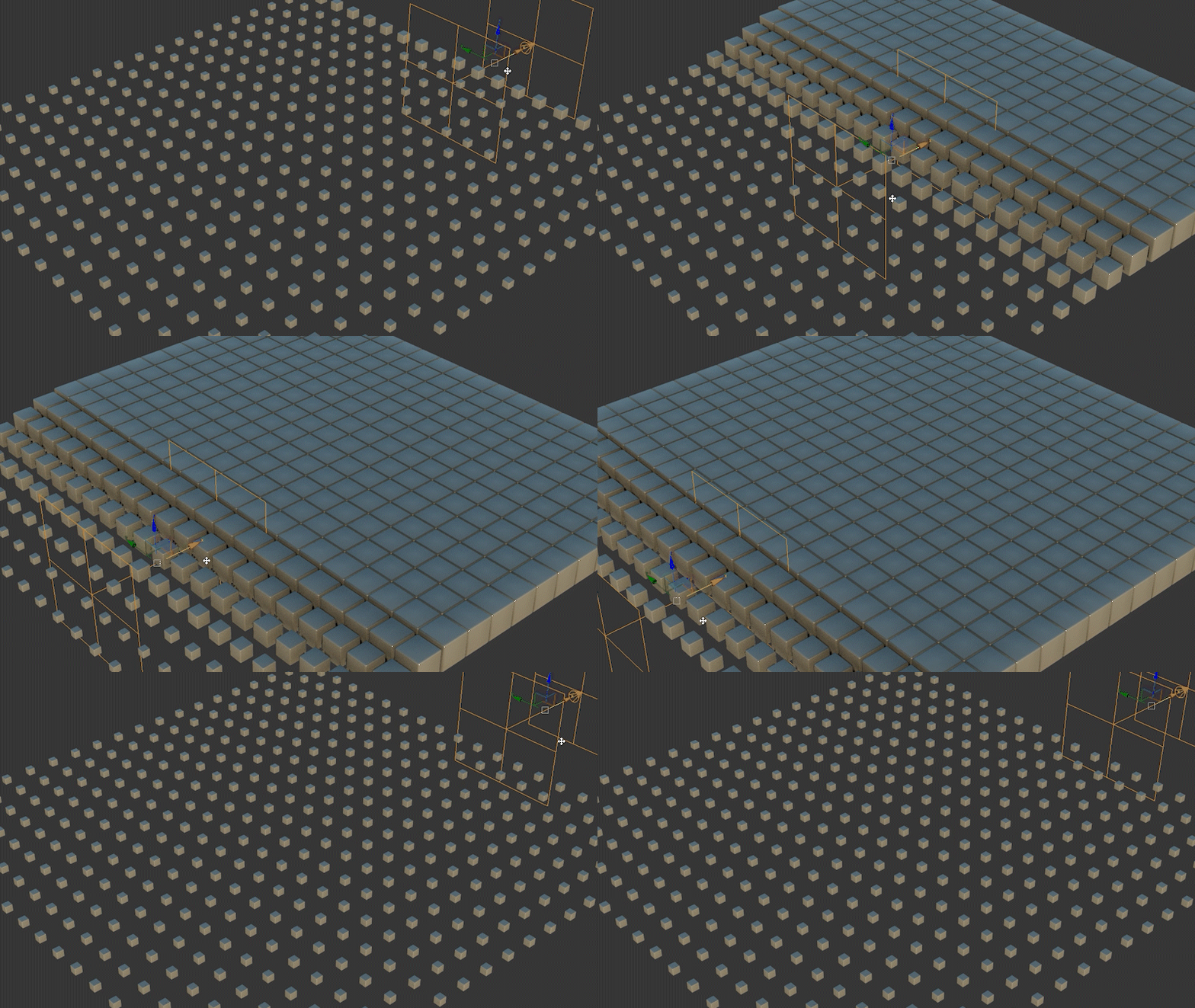
The new Field Helper acts as a 3D volume that works with the Volume Select modifier, allowing you to select vertex, edge, or face data by shape instead of relying on painting or flat boundaries. This provides faster and more accurate selections on complex geometry.
Supported Field Types
Field Helpers can represent different types of data. They can output a constant Float value, a Point3, or maps supplied from the Material Editor, among other data types. This flexibility enables a dynamic way to drive data within 3ds Max, especially when used with the Volume Select modifier.
Data Output Options
The Field Helper can represent multiple object types. It supports procedural primitives such as Box, Sphere, Torus, and Cylinder, as well as a Linear (start-end) type. It can also reference a watertight object in your scene to use that object's form as the selection volume.
All object types other than Object include a Falloff Distance control. This falloff behaves similarly to soft selection, allowing for smooth transitions at the boundary of the field.
Animation Integration
New animation controllers have been added to 3ds Max that work with the Field Helper. These controllers allow the helper to influence animatable channels on objects, as well as on modifiers and materials applied to those objects. This enables powerful procedural workflows and unique methods for driving changes throughout your scene.