Animation and Time Controls
The main animation controls are found at the bottom of the program window, between the status bar and the viewport navigation controls, along with the time controls for animation playback within viewports.
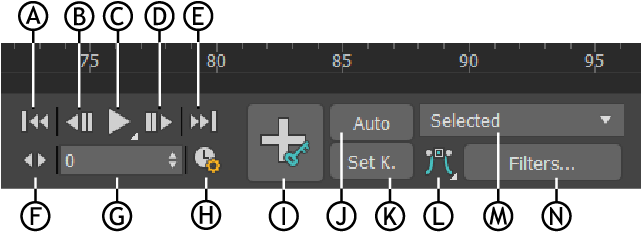
Animation and Time Controls: A. Go to Start,B. Previous Frame/Key, C Play/Stop, D. Next Frame/Key, E. Go to End, F. Key Mode toggle, G. Current Frame (Go To Frame), H. Time Configuration, I. Set Key animation mode, J. Auto Key mode toggle, K. Set Key mode toggle, L. Default In/Out Tangents for New keys, M. Selection List, N. Key Filters
Two additional important animation controls are the time slider and track bar, found on the status bar to the left of the main animation controls, both of which can be floated and docked.
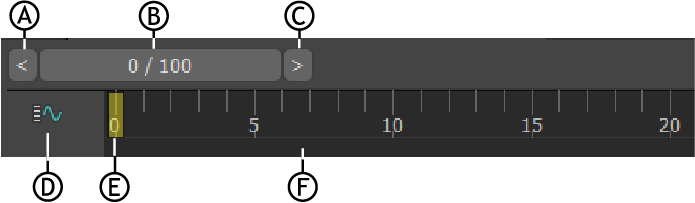
The time slider and track bar: A. Back up Time One Unit,B. Time Slider, C. Forward Time One Unit, D. Open Mini Curve Editor, E. Current frame indicator, F. Timeline
Animation Controls
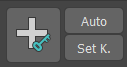 Auto Key Animation Mode and Set Key Animation Mode
 Default In/Out Tangents for New Keys


