Layers Toolbar
The Layers toolbar simplifies interaction with the layer system in 3ds Max, allowing you to easily organize the layers in your scene. While most of these operations are available from the Layer Explorer dialog, the Layers toolbar provides convenient shortcuts to several common actions.
- Right-click any toolbar > Layers
Interface

The Layers toolbar provides the following controls:
 Manage Layers
Toggles a floating Layer Explorer dialog.
Layer List
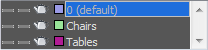
Displays layer names and properties.
 Create New Layer
Adds a new layer to the scene and automatically adds any currently selected objects to the new layer. The new layer's name is generated automatically ("Layer001", "Layer002", and so on) but can be changed with the Layer Explorer dialog.
 Add Selection to Current Layer
Moves the scene selection to the current layer.
 Select Objects in Current Layer
Selects all objects in the current layer.
 Set Current Layer to Selection's Layer
Sets the current layer to the layer that contains the selected object. Available only when a single object is selected.