Rescale World Units Utility
This utility rescales the world units of either the entire scene or selected objects in the scene. The Rescale World Units dialog controls scale factor and whether it is applied to the entire scene or the current selection.
 Utilities panel > Utilities rollout > More button > Utilities dialog > Rescale World Units
Procedures
To rescale an object:
 Select an object in the viewport.
- On the Utilities panel, click the More button, and on the Utilities dialog, choose Rescale World Units from the list.
- On the Utilities panel, click the Rescale World Units button.
- On the Rescale World Units rollout, click the Rescale button.
- Set the Scale Factor to the desired scale. For example, setting the scale to a value of 2.0 doubles the size of the object that it’s applied to.
- In the Affect group, choose the Selection option.
- Click OK to apply the scale.
Interface
Rescale World Units rollout
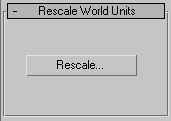
Rescale
After selecting the objects you want to rescale, click this to display the Rescale World Units dialog.
Rescale World Units dialog
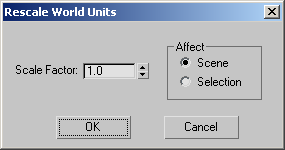
Scale Factor
Specifies the scaling factor.
Affect group
- Scene Applies the scale to the entire scene.
- Selection Applies the scale only to the current selection.