Statistics Panel
Viewports can display statistis that show the number of vertices, polygons, and so on. Use the Statistics panel to customize that display.
- Click or right-click the General viewport label (“[ + ]”) . > General Viewport Label Menu > Configure > Viewport Configuration dialog > Statistics tab
- Default menu: Views menu > Viewport Configuration > Viewport Configuration dialog > Statistics tab
- Alt menu: Scene menu > Configure Views > Viewport Configuration > Viewport Configuration dialog > Statistics tab
Statistics can pertain to the scene or the active selection; they can also display a real-time count of the number of frames per second displayed. To toggle display of the statistics in a viewport on the fly, the General viewport label menu and choose xView > Show Statistics, or press 7.
Interface
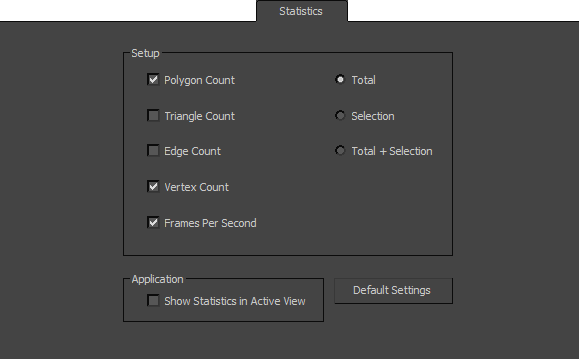
Setup group
Polygon Count
Enables the polygon count display.
Triangle Count
Enables the triangle count display.
Edge Count
Enables the edge count display.
Vertex Count
Enables the vertex count display.
Frames Per Second
Enables the FPS count display.
- Total Displays only the statistics for the entire scene.
- Selection Displays only the statistics for the current selection.
- Total + Selection Displays the statistics for the entire scene and current selection.
Application group
Show Statistics In Active View
Enables the statistics display.
Default Settings
Restores all options to their original settings.