Extrude Modifier
The Extrude modifier adds depth to a shape object and makes it a parametric object.
- Select a shape >
 Modify panel > Modifier List > Object-Space Modifiers > Extrude
 - Default menu: Select a shape > Modifiers menu > Mesh Editing > Extrude
- Alt menu: Select a shape > Modifiers menu > Spline > Extrude (Spline)
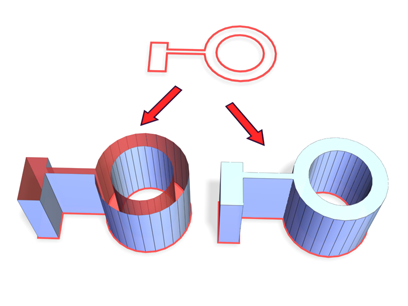
Above: Spline before extrusion
Below left: Extruded spline with Cap End off
Below right: Extruded spline with Cap End on
Interface
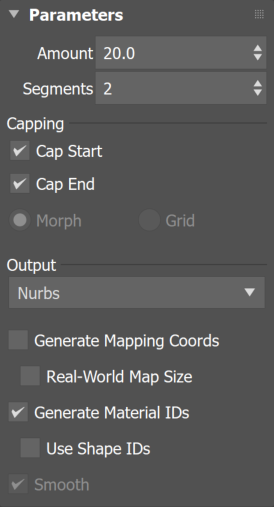
Amount
Sets the depth of the extrusion.
Segments
Specifies the number of segments that will be created in the extruded object.
Capping group
Cap Start
Generates a flat surface over the start of the extruded object.
Cap End
Generates a flat surface over the end of the extruded object.
- Morph Arranges cap faces in a predictable, repeatable pattern, which is necessary for creating Morph targets. Morph capping can generate long, thin faces that don't render or deform as well as grid capping. Use morph capping primarily if you're extruding multiple morph targets.
- Grid Arranges cap faces in a square grid trimmed at the shape boundaries. This method produces a surface of evenly sized faces that can be deformed easily by other modifiers. When you choose the Grid capping option, the grid lines are hidden edges rather than visible edges. This primarily affects any objects assigned a material with the Wire option turned on, or any objects that use the Lattice modifier.
Output group
- Patch Produces an object that you can collapse to a patch object; see Editing the Stack.
- Mesh Produces an object that you can collapse to a mesh object; see Editing the Stack.
- NURBS Produces an object that you can collapse to a NURBS surface; see Editing the Stack.
Mesh Gizmo option
When Mesh is selected as the Output, the Extrude modifier includes a Gizmo option that controls the direction of extrusion for Splines.
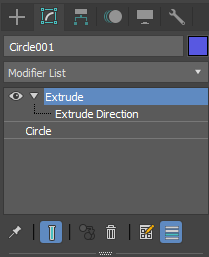
This screenshot shows the Extrude Direction with the Gizmo active.
By default, extrusion occurs along the object's local Z axis. Enabling the Gizmo allows you to:
- Extrude along the X, Y, or Z axis
- Define a custom extrusion direction
- Create forms that do not align with the object's default orientation
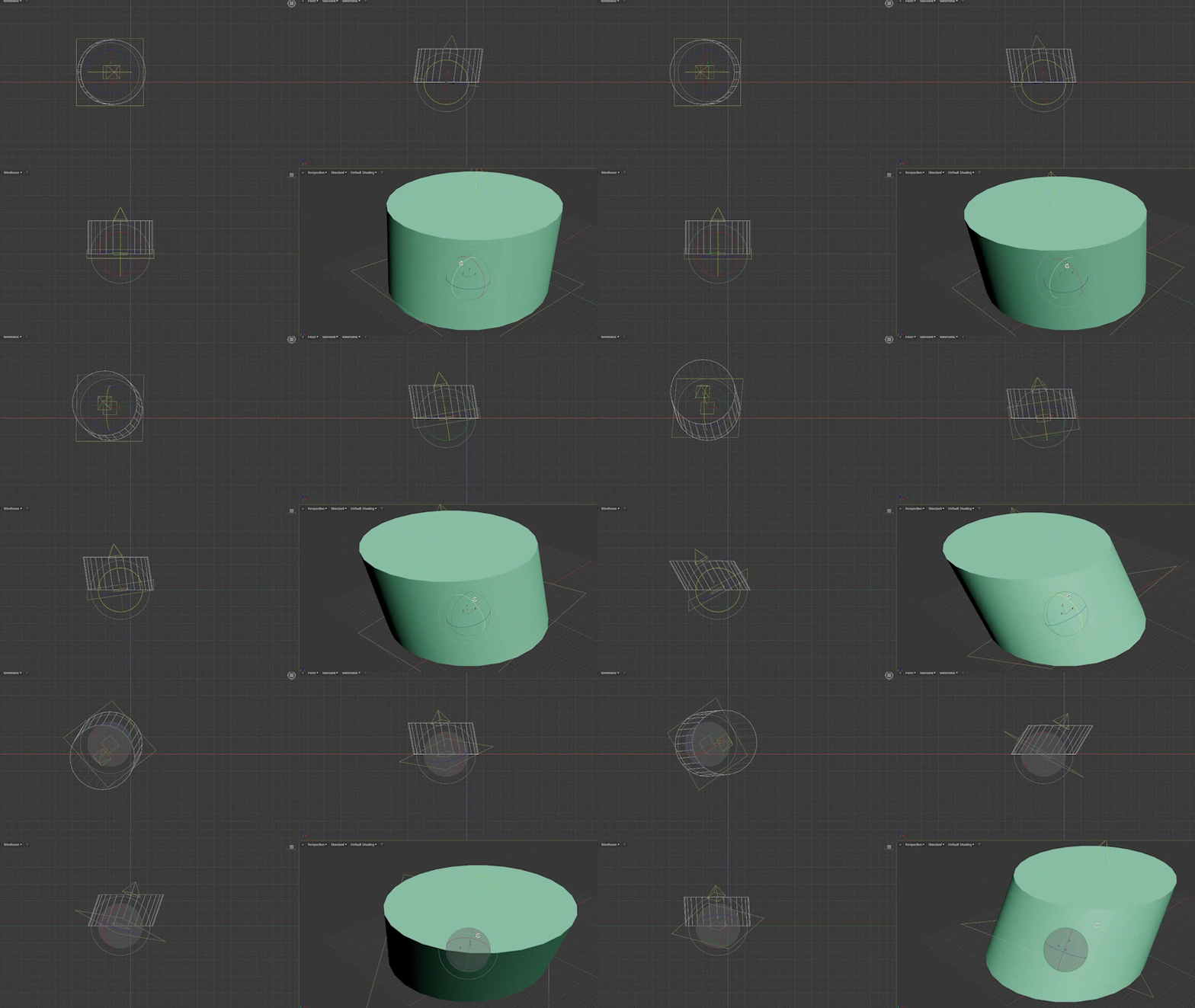
When the Rotate transform tool is active, a manipulator appears for the Gizmo, allowing you to adjust the extrusion direction interactively (as shown below). This lets you set the desired orientation directly without rotating the original object.
Generate Mapping Coords
Applies mapping coordinates to the extruded object. Default=off.
When on, Generate Mapping Coordinates applies separate mapping coordinates to the end caps, placing a single 1 x 1 tile on each cap.
Real-World Map Size
Controls the scaling method used for texture mapped materials that are applied to the object. The scaling values are controlled by the Use Real-World Scale settings found in the applied material's Coordinates rollout. Default=on.
Generate Material IDs
Assigns different material IDs to the sides and the caps of the extruded object. Specifically, the sides receive ID 3, and the caps receive IDs 1 and 2.
This checkbox is turned on as a default when you create an extruded object, but if you load an extruded object from a MAX file, the checkbox is turned off, maintaining the same material ID assignment for that object as it had in R1.x.
Use Shape IDs
Uses the material ID values assigned to segments in the spline you extruded, or curve sub-objects in the NURBS curve you extruded.
Smooth
Applies smoothing to the extruded shape.