Camera Map Modifier (Object Space) Reference

- Select one object. >
 Modify panel > Modifier List > Object-Space Modifiers > Camera Map
 - Default menu: Select one object. > Modifiers menu > UV Coordinates > Camera Map
- Alt menu: Select one object. > Modifiers menu > UVs, Maps and Materials > Camera Map
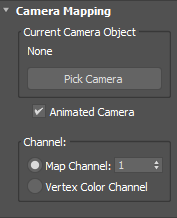
[camera name]
Before you pick a camera, shows "None." After you pick a camera, shows the current camera object's name.
Pick Camera
To apply the UVW coordinates, click this button, then select the camera through which to view the scene.
Animated Camera

Allows the Camera Map modifier to work with animated cameras.
When enabled (default), the UV map projection is updated on each frame from the new location of the camera.
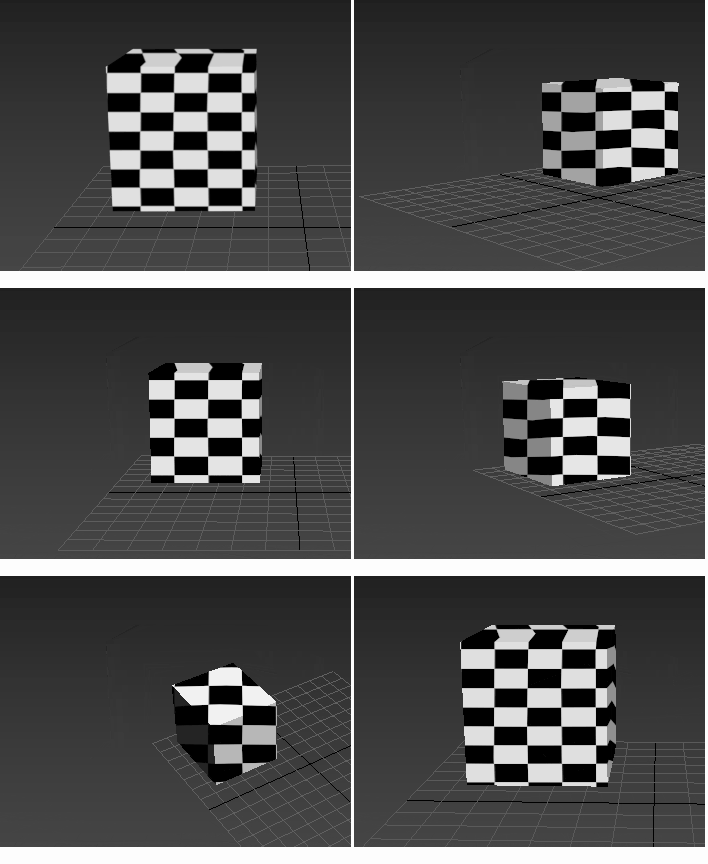
Animated Camera parameter = turned on
When disabled, the UV map projection is not updated on each frame.
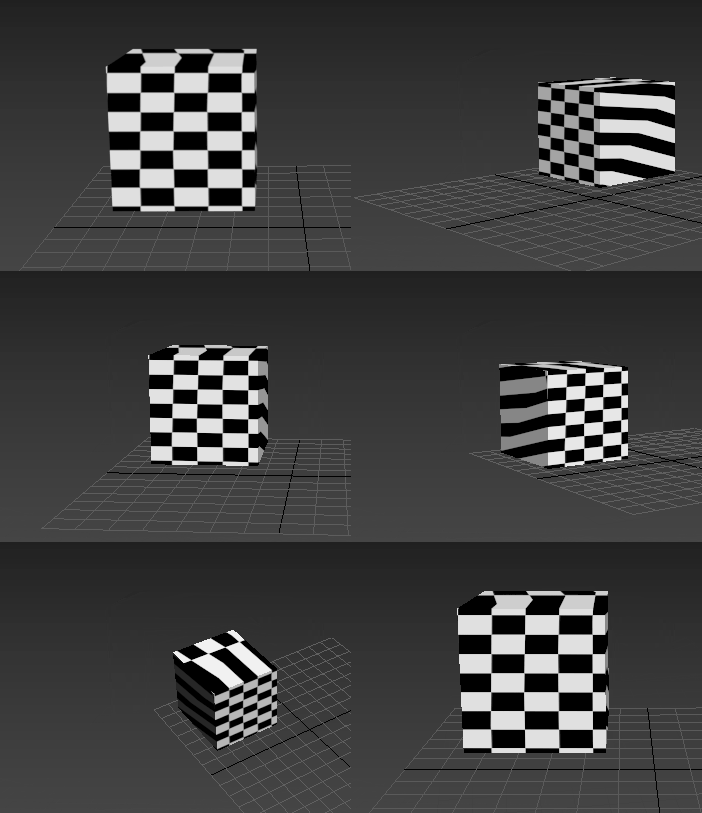
Animated Camera parameter = turned off
Channel
Choose a method for applying mapping to the object:
- Map Channel This option lets you choose a map channel to use. Specify map channels with the Material Editor.
- Vertex Color Channel Uses the Vertex Color channel.