- On the Quick Access toolbar, click Save As. Find
- In the Save Drawing As dialog box, choose Tools
 Options.
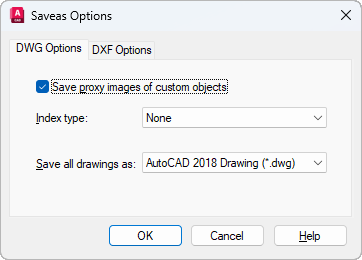
- In the Saveas Options dialog box, under Index Type, select Layer, Spatial, or Layer & Spatial and click OK.
Note: If you are saving a partially open drawing that does not already contain layer and spatial indexes, this option is disabled.
- In the Save Drawing As dialog box, click Save.