Many manufacturers' websites or product catalogs offer ECLASS-compliant product specifications. These specifications can include technical details, dimensions, certifications, standards, product descriptions, part numbers, and links to manufacturer documentation.
AutoCAD Electrical uses ECLASS to streamline and standardize the download and integration of manufacturer data. This approach improves the efficiency, accuracy, and interoperability of the design process.
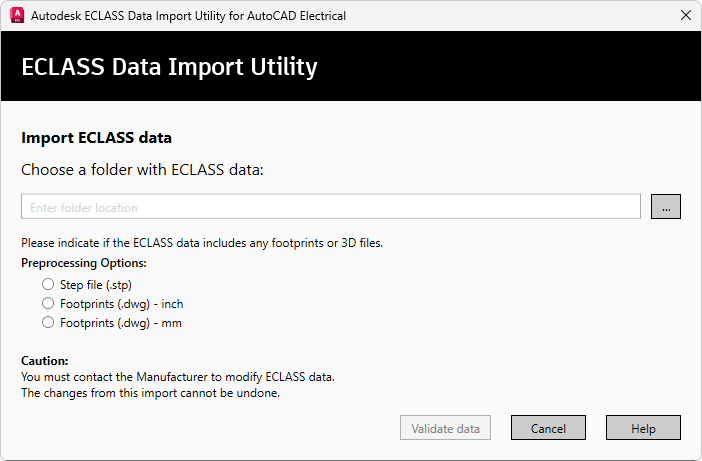
The ECLASS Data Import Utility in AutoCAD Electrical imports XML files for product specifications, DWG files for 2D footprints, and IPT files for 3D representations. The utility checks the specified files and, if they pass validation, imports the data into the database. It also generates a log file to record any warnings or errors and produces a report detailing the imported items.
User Roles and Licenses
| Role | Description |
|---|---|
| User | A person who downloads Electrical content in the ECLASS/BMEcat standard from manufacturers, pre-processes and imports the data into AutoCAD Electrical, and then uses the imported content in the Catalog Browser. This content includes catalog data, 2D footprint drawings in the DWG™ format, and 3D models in the Autodesk Inventor IPT format. |
| Manufacturer/Supplier | A person who uses the ECLASS/BMEcat standards to describe and create content and product data for AutoCAD Electrical in the ECLASS format. This content includes catalog data, 2D footprint drawings in the DWG™ format, and 3D models in the Autodesk Inventor IPT format. |