Provides an overview of what Autodesk Assistant and product help are, and how to use them.
How to Find Autodesk Assistant
Have a quick question as you get started? Autodesk Assistant and product help are the two easiest ways to get answers efficiently so that you can get to drafting.
Autodesk Assistant offers AI-guided self-service and options to find tailored support and information from within the program. In addition, Autodesk Assistant can check a drawing against a selected file representing company standards, as well as select objects using a natural language query. To learn more, see To Work with the Autodesk Assistant.
Product help is a comprehensive encyclopedia of resources, which you can easily access both online and offline.
Open Autodesk Assistant
Click the
 icon in the upper right-hand corner to open Autodesk Assistant.

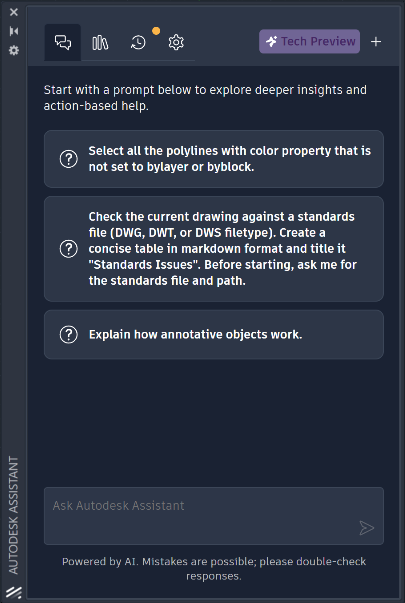
When Autodesk Assistant opens, ask a question, or try one of the default starter prompts by clicking on them.
Try Product Help
If you have a more complex or multi-step question, the product help may be a better learning resource. It contains documentation on everything that's in the product, along with exercises, how-to videos, and more.
- To open the product's help, click the
 icon in the upper right-hand corner.
- Help responds to what you're currently doing. See this in action by trying out one or all of the following:
- Press F1 during a command to get help about the command in progress.
- Press F1 while a dialog box, palette, or tooltip is selected to learn more.
- Press F1 when neither of the previous conditions apply to get to the Help Home page.
Navigate Product Help
- Use the Table of Contents to explore resources for getting started, trying out what's new in the product, and studying related topics.
- Type in keywords into Search to get comprehensive resources about a topic.
- Leverage the Quick References section to see updates and leverage shortcuts.