AutoCAD for Mac 2027 includes a technology that uses Autodesk AI to scan a drawing for objects that can be converted into blocks.
Improved detection capability
BDETECT uses Autodesk AI to identify and group similar objects in a drawing for easy block conversion.
- Single-swing doors
- Double-swing doors
- Toilets
- Bathtubs
- Urinals
- Generic lighting symbols
- Millimeter
- Centimeter
- Decimeter
- Inch
- Feet
- Yard
- Meter
Easier to access and use
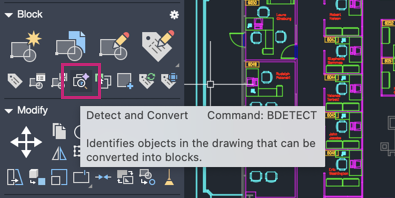
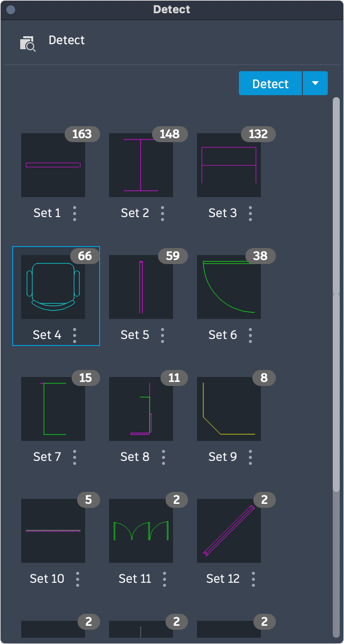
The BDETECT command is used to display the Detect palette and show all detected sets of objects in a thumbnail gallery.
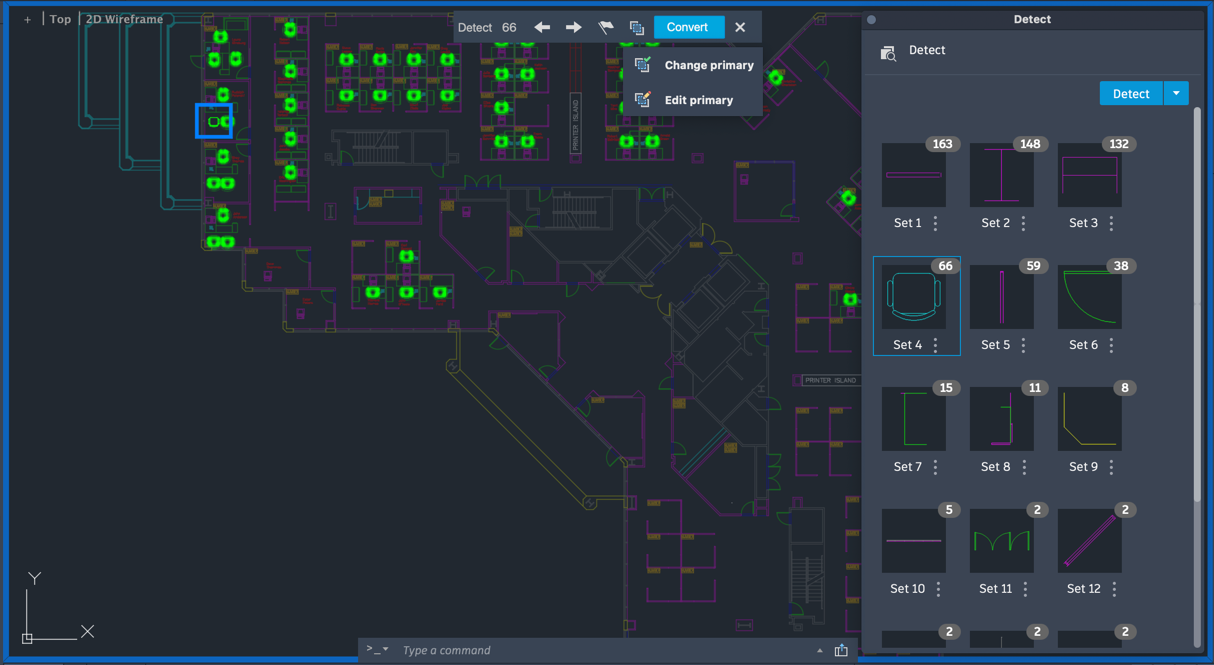
Once you click on a set, the Detect Review mode highlights all found instances.
From the Review toolbar, you can:
- See the total number of found instances
- Navigate to the previous or next instance in the drawing
- Change or edit the primary instance
- Convert to block
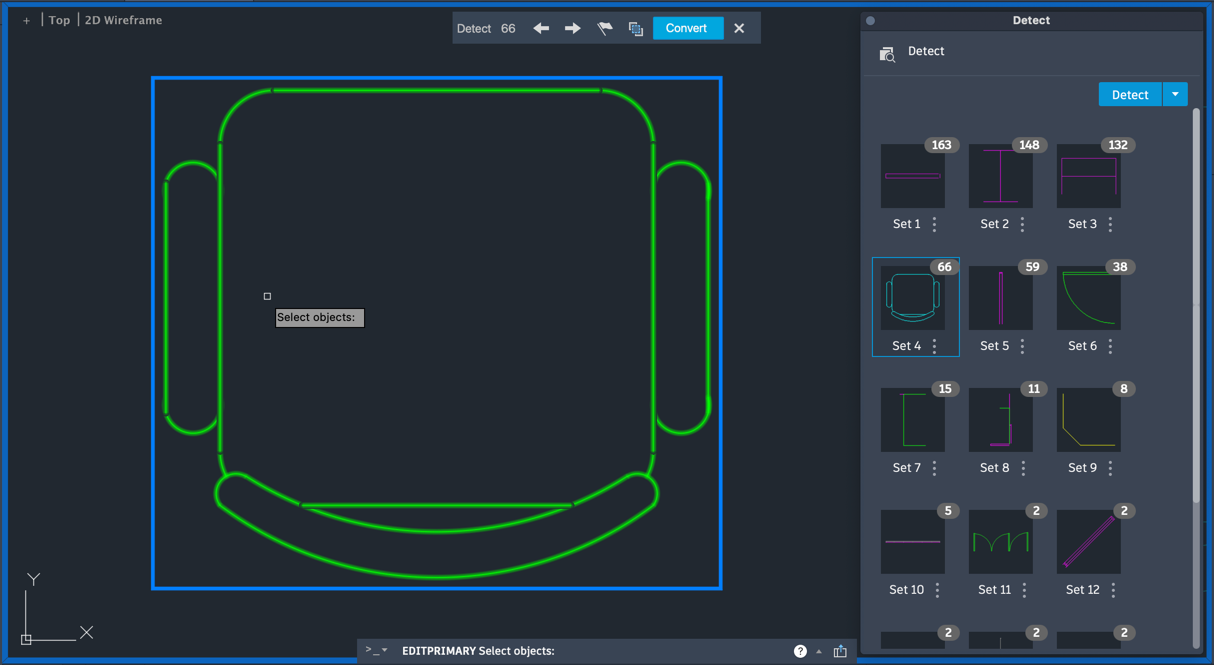
Option to edit or change primary instance
Detect and Convert allows you to edit or change the primary instance by clicking Change Primary from the Review toolbar.
You can also add or remove objects from the selected primary instance to edit it and refine your search. The Edit Primary functionality is available from both the Review toolbar and Detect palette.
Key considerations
- BCONVERT
- -BCONVERT
- BEDIT
- -BEDIT
- BSEARCH
- -BSEARCH
- COMPARE
- -COMPARE
- COUNT
- COUNTLIST
- MARKUPIMPORT
- -MARKUPIMPORT
- REFEDIT
- -REFEDIT
- TRACE
- VERSIONCOMPARE
- XATTACH
- XCLIP
- XCOMPARE
New Commands
- BDETECT - Displays the Detect palette where you can start object detection and manage the objects that are eligible for conversion.
- DETECTCLOSE - Ends the detection review.
- DETECTCONVERT - Displays the Convert dialog box, which you can use to convert the highlighted instances into blocks.
- DETECTPRIMARY - Specifies the detected instance from which a new block definition is created.
- DETECTREMOVE - Removes selected instances from the set.
- DETECTREVIEWNEXT - Displays the next set of detected objects.
- DETECTREVIEWPREV - Displays the previous set of detected objects.
New System Variables
- DETECTPALETTESTATE - Indicates whether the Detect palette is open, closed or hidden.