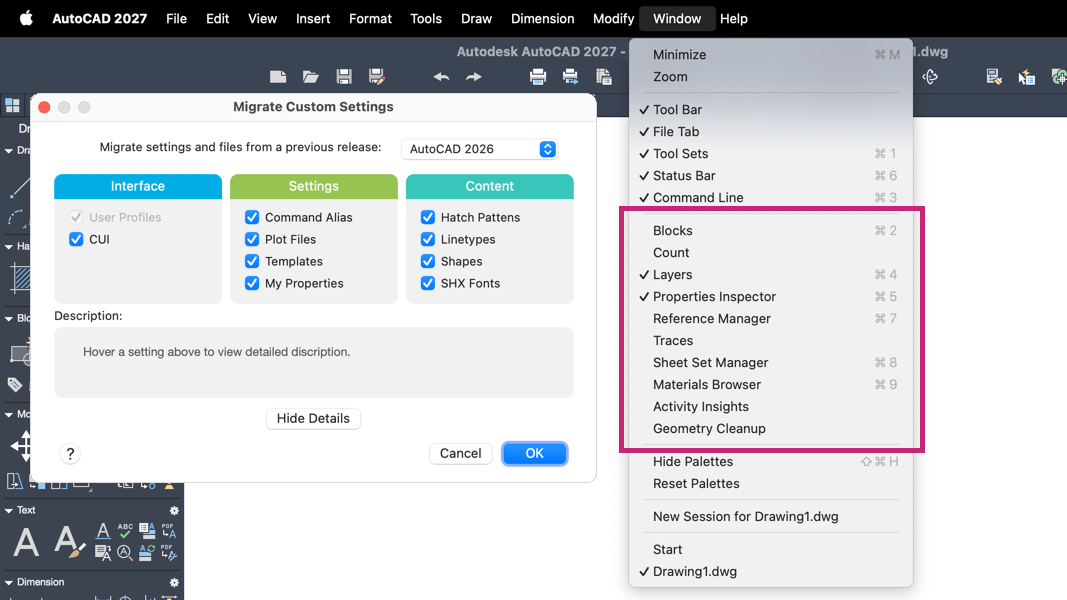
The migration customization utility in AutoCAD for Mac has been updated so that palettes, including their visibility state and floating state, are now migrated by default. In previous releases, some palettes did not transfer as expected. This update preserves most of your palette configurations to support a smoother transition to your customized workspace.
Note: The scope of palette migration is limited to the items on the Window menu.
To migrate palettes, use the Migrate Custom Settings utility after installation or a reset of the product. An earlier version of AutoCAD or AutoCAD LT for Mac must be present on the workstation for migration to run.