Checkout allows a user to edit and propose changes to specific objects in a drawing that someone else has open for editing. Instead of waiting for the drawing to be released by the user who is editing, you can check out the objects you want to edit, edit them in the Trace environment, and then submit your changes for review to the user who has read-write access. The user with read-write access can then merge the changes into the drawing.
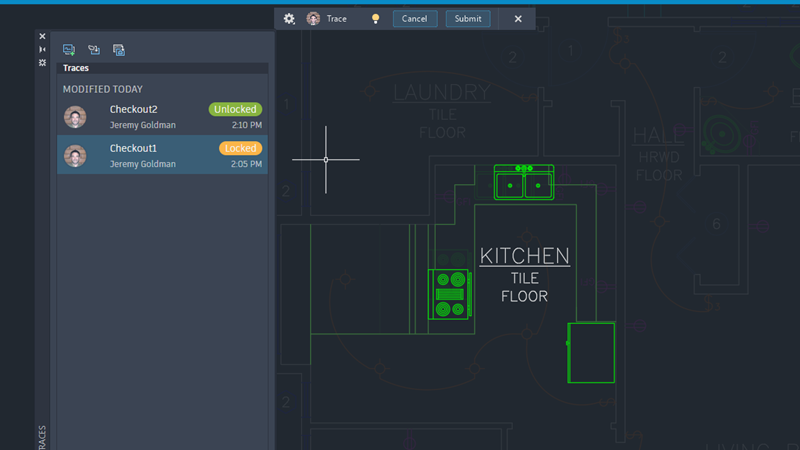
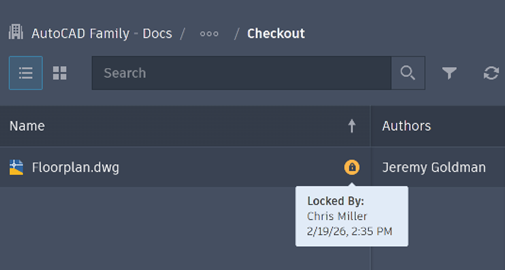
Step 1: One collaborator has a drawing open with read-write access that is saved in Forma Data Management. A second collaborator opens the drawing read-only.
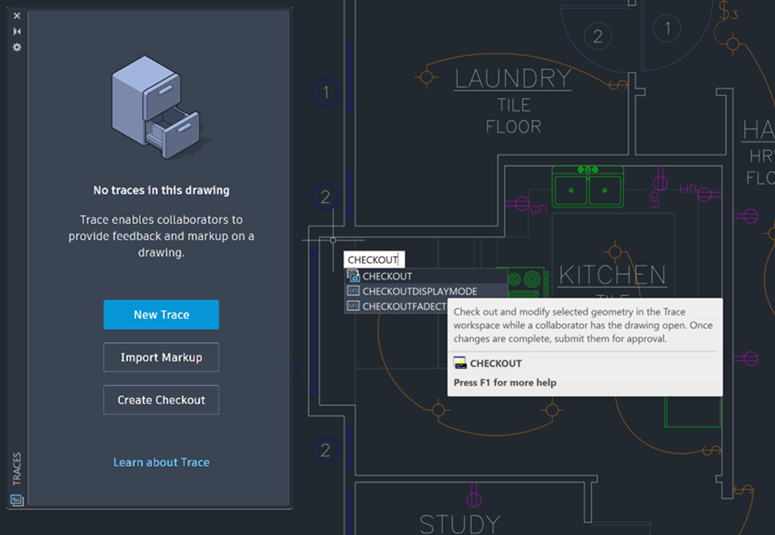
Step 2: The second collaborator starts the CHECKOUT command, then selects and confirms a portion of geometry in the drawing to check out.
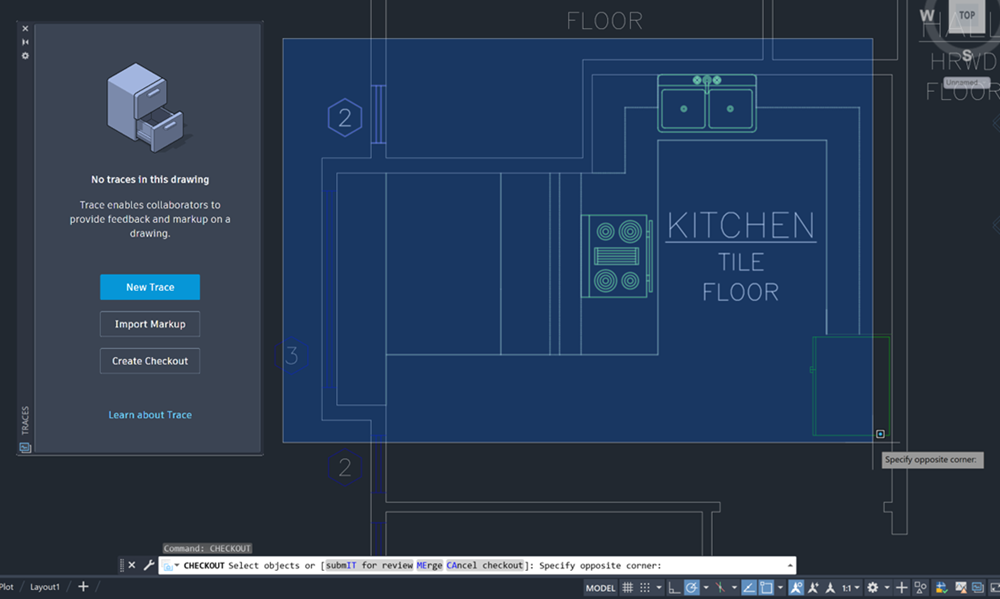
The selected portion of the drawing opens in the Trace workspace in a new trace. The checked out geometry locks for the collaborator who has the drawing open with read-write access.
Step 3: The second collaborator makes changes to checked out portion of the drawing in the new trace. When finished editing, they submit and close the trace.
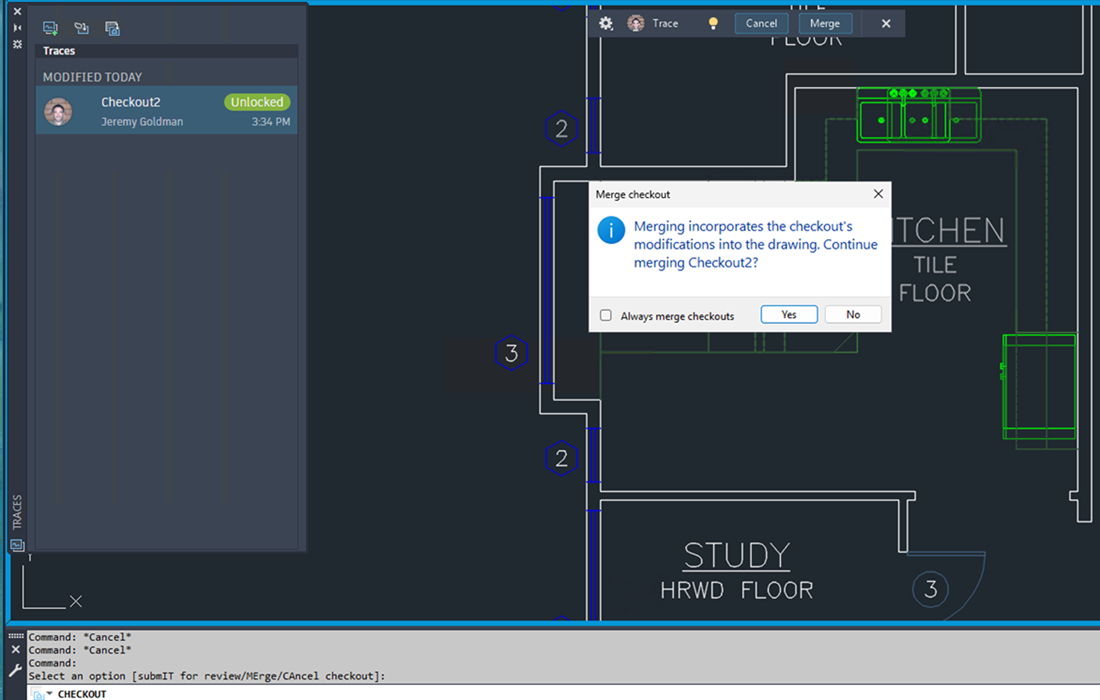
Step 4: The collaborator who has the drawing open with read-write access receives a notification in the drawing that a collaborator has submitted changes. They can then review the changes and decide whether or not to merge them into the drawing.
Object Compatibility in Specialized Toolsets
- Checkout filters out custom objects created in AutoCAD specialized toolsets, including AutoCAD Architecture, AutoCAD MEP, AutoCAD Mechanical, AutoCAD Map 3D, and AutoCAD Plant 3D.
- The checkout operation excludes custom toolset objects, and the excluded objects remain unavailable for modification while the drawing is checked out.
- The AutoCAD Electrical toolset does not support Checkout.
New Commands
- CHECKOUT - Check out and modify selected geometry in the Trace workspace while a collaborator has the drawing open. When finished, submit your changes for approval.
New System Variables
- CHECKOUTFADECTL - Controls the amount of fading when TRACEMODE is inactive (TRACEMODE = 0). The setting only applies to objects included in checkouts.
- CHECKOUTDISPLAYMODE - Controls the visibility of checked out objects in the trace and the drawing.