Select which rainfall data sets to use for analysis.
Under the Rainfall section, select one or more Rainfall Sets to apply to the drainage system.
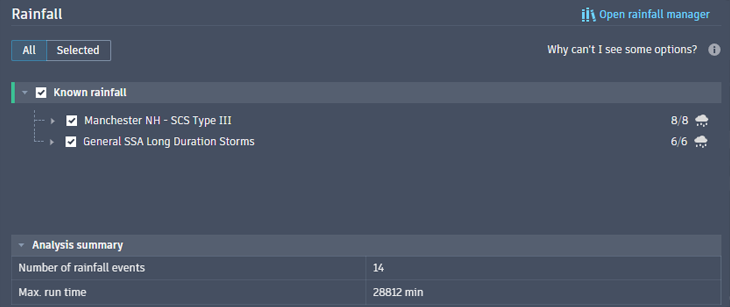
The counts to the right of the Rainfall Sets represent the total number of events selected out of the possible number of events in the set. The Analysis Summary at the bottom displays the total number of Rainfall events applied to the drainage system and the largest specified maximum run time of the events.
Why Can't I See Some Rainfall Options?
Some options are hidden due to incompatibility with the runoff methods previously selected for the catchments. It is not possible to mix rational runoff methods with dynamic runoff methods so a preliminary validation of runoff selection occurs when Drainage Analysis is opened.
- Catchments in a drainage design using dynamic hyetograph runoff methods (including mixed selections throughout the design) use both distribution based and known rainfall sets. In these cases, only distribution based or known rainfall sets will display.
- Catchments in a drainage design using rational or modified rational runoff methods require IDF rainfall data. In these cases, only IDF rainfall data sets will display.
- Catchments in a drainage design with mixed rational and dynamic methods cannot be analyzed. A warning prompt is provided to create compatible rainfall. This means catchments in the design must be specified with either all rational/modified rational runoff or all dynamic runoff.
Runoff methods are defined in the Catchment Properties dialog box on the Runoff tab.
To Select Specific Events in a Rainfall Set
Select fewer or specific events in a Rainfall Set.
- In the Rainfall List, expand the Rainfall Set containing the desired Rainfall Events.
- Select/deselect events to refine for analysis.
Note: You can deselect a whole set if needed.
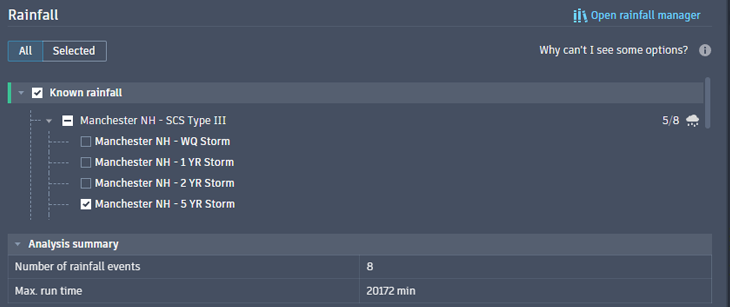
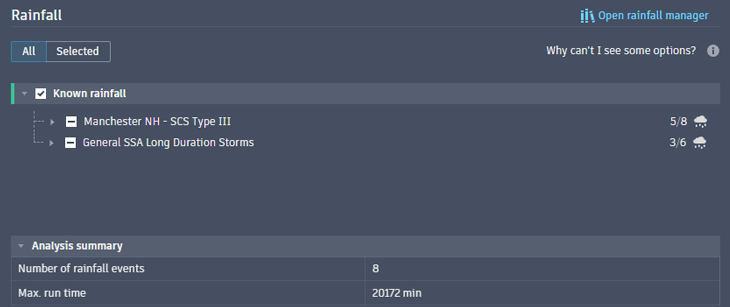
Notice the selected counts have changed, as has the Analysis Summary.
- Click Open Rainfall Manager.
- In the Rainfall List, select the Rainfall Set containing the desired Rainfall Events.
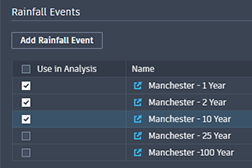
- Select Use in Analysis for those events to be selected with the set.
- Click Save Changes.
- Close the Rainfall Manager.
Tip: Selection can also be made when working in the Rainfall Manager