Manage, repair, and resolve Data Shortcut references more efficiently with enhanced Connected References workflows including a dedicated Dref tab within the External References palette.
Note: Connected References for Data Shortcuts is only available with Forma Design Collaboration.
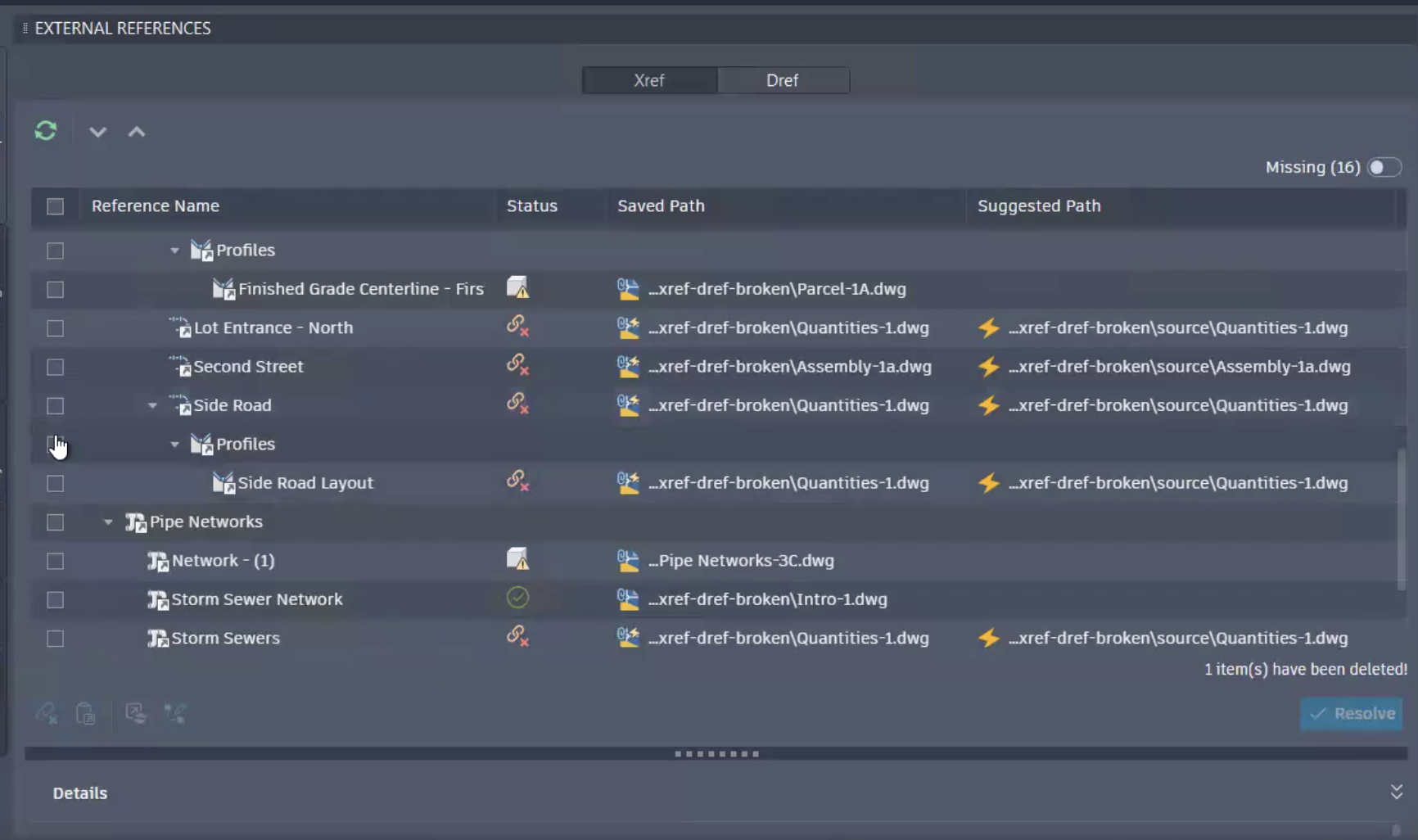
Drefs tab within External References palette
This release includes the addition of a dedicated Dref tab within External References for managing Data Shortcut references, in the same place as Xrefs.
Broken-link visibility
- Added clear broken-link reasons, such as source DWG not found, object not found, or out of date
- Added a Suggested Path column that surfaces the cloud-recommended target source drawing
Filtering
- Added a Missing toggle to show only missing or broken references
- Added column-based filtering (for example, Saved Path contains “file_name”) with add/remove rules
Cloud repair
- Added repair suggestions for missing cloud references after a source DWG is renamed or relocated
- Added manual single-link repair
- Added manual bulk repair
- Added detection of additional broken references when you accept a suggestion
- Added detection of additional broken references resolved by the same source drawing or source folder when you repair manually
Local repair
- Added manual single-link repair on local (non-Forma Data Management) drawings
- Added manual bulk repair on local drawings
Repair outcomes and cleanup
- Added a clear failure summary when suggestion-based auto-resolve cannot complete, including a fail count
- Added actionable failure feedback when a repair fails
- Added the ability to remove unnecessary broken links