To Edit or Hide Hole or Slot Tags
What's New: 2027
Change the content, style, or visibility of one or more tags.
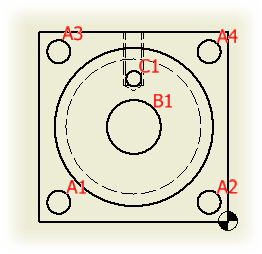
Edit the content of a hole or slot tag
In the graphics window, click to select the hole table.
Right-click the row in the hole table, and then select Edit
 Tag from the menu.
In the Format Text dialog, enter the tag content.
Click OK to update the tag.
Change the style of a hole or slot tag
Select one or more hole or slot tags.
On the Annotate tab, Format panel, expand the Style drop-down.
Select the style to use.
Tip: To change the layer, on the Annotate tab, Format panel, expand the Layer drop-down, and select the layer to use.
Hide hole or slot tags
In the graphics window, click to select the hole table.
Right-click the row and select Visibility from the menu.
Click to check or clear the check mark for the selected tag, or for all tags.