To Restore or Edit a Cropped Portion of Point Cloud
What's New: 2027
The following commands control the process of restoring cropped portions of a point cloud. Cropped portions persist across sessions. Uncrop Last and Uncrop All are disabled (grayed-out) until a crop operation has been performed.
 Uncrop Last
Restores the most recently cropped portions of a point cloud. Undo can also be used, but only during the same session as the cropping action. Undo Last works across sessions.
- On the ribbon, click Manage tab
 Point Cloud panel Uncrop Last .
 - The most recently cropped portion of the point cloud is restored.
 Uncrop All
Restores all cropped portions of an Inventor point cloud crop operation.
- On the ribbon, click Manage tab Point Cloud panel
 Uncrop All.
 - All cropped portions of the point cloud are restored.
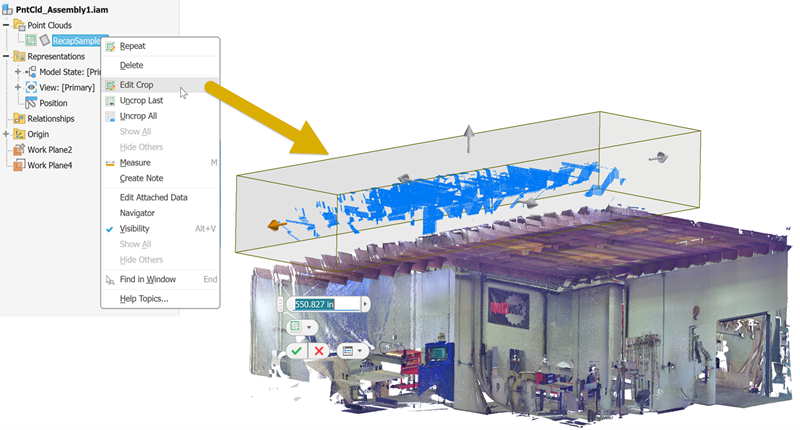
Edit Crop
Crop box manipulators enable interactive modification of crop boundaries.
- In the browser, expand the Crop folder.
- Right click a crop browser node and select Edit Crop.
- Use the displayed manipulators to modify the cropped region.
- Click OK when through.