Drawing Enhancements
Learn about the Drawing enhancements for Inventor 2027.1.
Broken Views
Broken Views are defined by sketches. Right-click the broken view manipulator and select Edit Sketch in the menu. You are placed in the Sketch environment and can modify the sketch. Click Finish Sketch to return to the drawing environment.
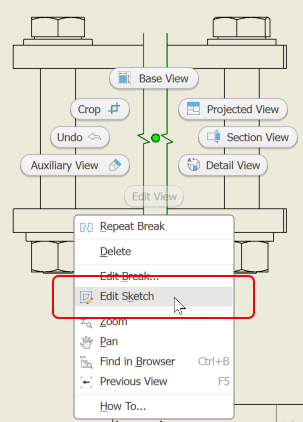
For more information see To Work with Break View Operations.
Open Drawing
You can now open component drawings from the parts list in an assembly drawing. Multiple drawings can be opened by selecting the parts list items, right-clicking and selecting Open Drawing.
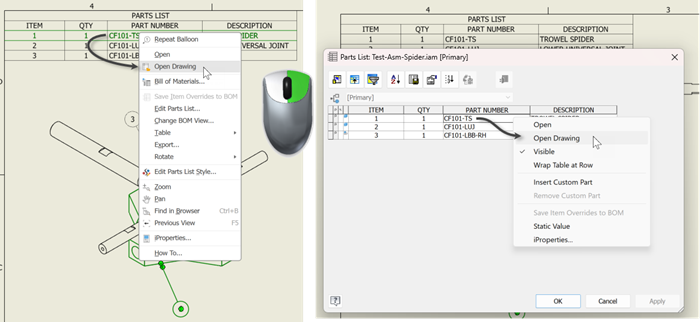
You can access the parts list by double-clicking the parts list in the canvas or in the drawing browser.
If no drawing exists for the selected component, the Open dialog displays and you can browse to locate a drawing or close the command.
Opening drawings for grouped parts list items is not supported.
For more information see About Drawings Workflow

Changing Drawing Views of Presentations
You can now change drawings views of Presentation Snapshots. Edit the drawing view and in the dialog use the Presentation View dropdown to select a different snapshot of the presentation.
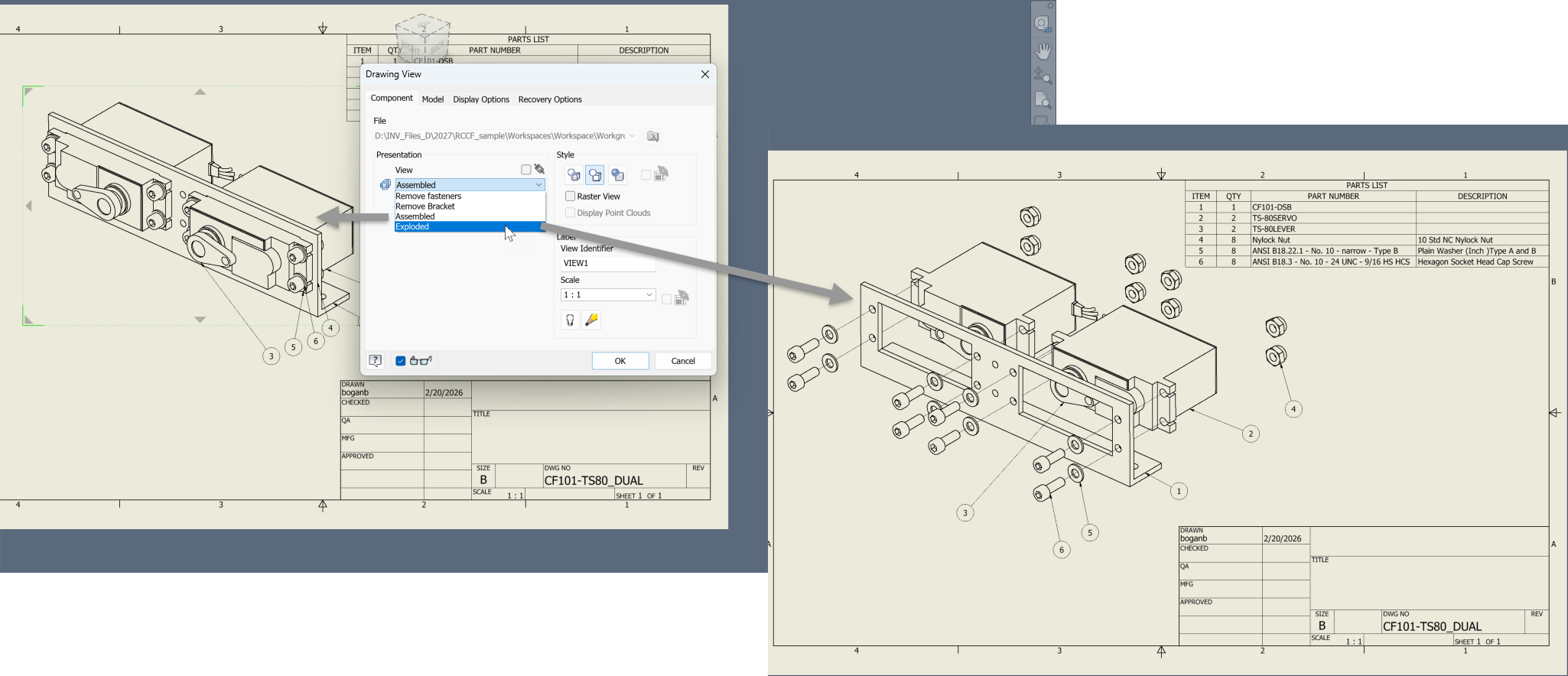
For more information see To Create Drawing Views Based on Presentation Snapshot Views