General Enhancements
Learn about the general enhancements for Inventor 2027.1.
Autodesk Assistant Enhancements (Tech Preview)
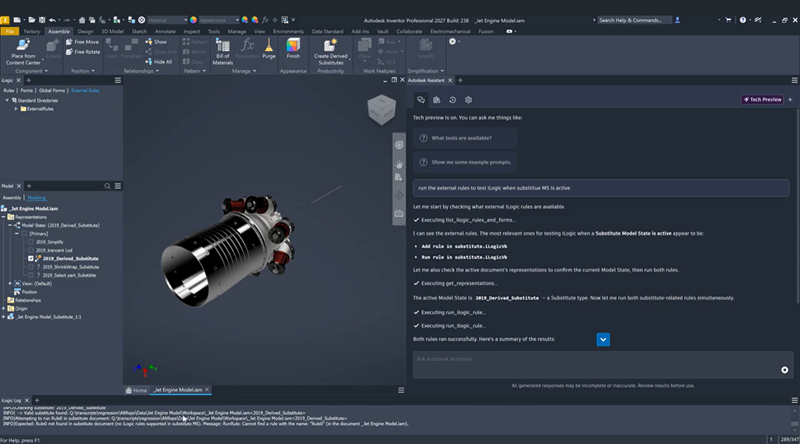
With Autodesk Assistant in Inventor you can now:
Use iLogic to
- Present a list of all iLogic rules, both local and global.
- Report parameters referenced in an iLogic rule. (iLogicRule.ParametersInRule)
- Move external rules to Windows Recycle Bin after using delete_ilogic_rule. Rules can be restored from the Recycle Bin, not from within Inventor.
- Add or remove a directory for iLogic external rules directories.
- Search for and read iLogic rules enabling locating rules by name or behavior.
- Run existing iLogic rules in support of automation.
- Scan an existing iLogic rule for potentially risky APIs before running it. If flagged items are detected, Autodesk Assistant reports what it found and asks for your confirmation before the rule runs.
- Execute generated (in memory) iLogic code without creating a persistent rule.
- Create new or clone existing iLogic rules.
- Delete an iLogic rule.
- When Autodesk Assistant runs iLogic rules, any errors are returned to the assistant so it can validate and repair the code.
- Present a list of all iLogic rules, both local and global.
Access and change the Edit Scope when working with Model States or iComponents.
Delete User parameters. If a parameter is in use by other parameters Autodesk Assistant notifies you and provides the steps needed to update the dependent parameter so the user parameter can be deleted.
Create a model state as a delegate and manage visibility of the model state. You can also delete delegated model states.
Ask the assistant to break a BOM reference to a model state, even break all child model states resulting in a flat browser structure.
Select or delegate the BOM reference of an existing model state.
Other improvements to Autodesk Assistant include:
Improved performance in working with projects having large numbers of files.
The add-in loads during Inventor startup. First time with the default settings. Thereafter, the add-in remembers the previous state with next launch:
- Visibility - hidden or open
- Docking position and panel size
- Panel persists per user profile
For more information see About Autodesk Assistant in Inventor and What can Autodesk Assistant do?.
Application Options
Assembly tab
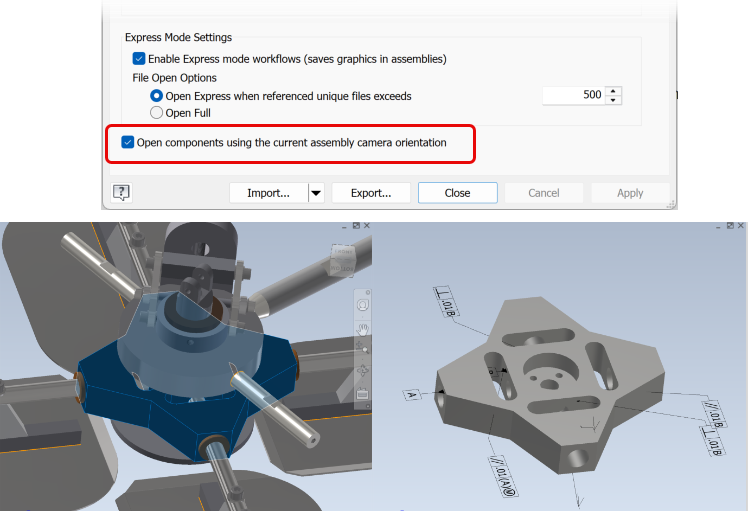
A new Application Option enables opening a component with the same view orientation as the assembly camera. In Application Options, on the Assembly tab, select Open components using the current assembly camera orientation. Then, right-click a component browser node or the component in the graphics area and click Open. The component opens and displays with the same view orientation as in the assembly.
For more information see Assembly Tab Reference (Application Options)

Colors tab - Preview Image Background
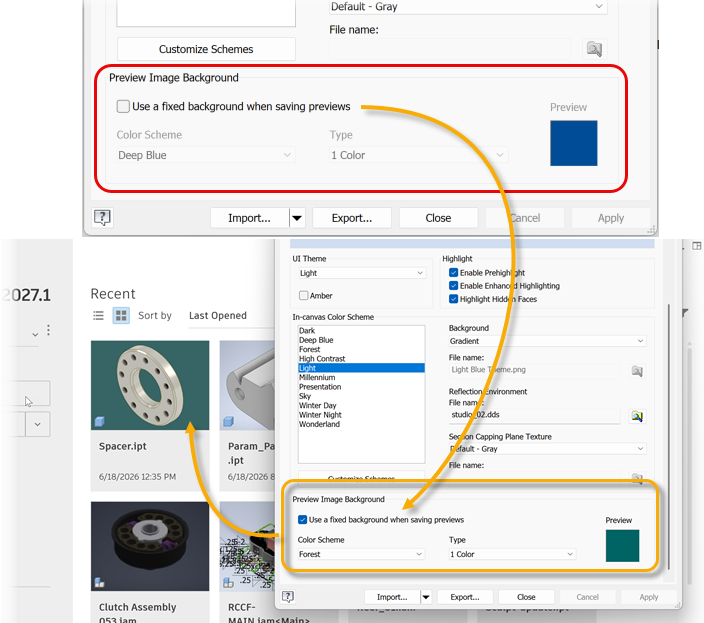
A new set of controls is provided to enable specifying the background color for thumbnail images generated by Inventor. By default the option is not selected. Under Preview Image Background, select Use a fixed background when saving previews to enable choosing the Color Scheme to use and the Type selecting from 1 Color, Gradient, or Background Image.
For more information see Colors Tab Reference (Application Options)
Document Settings Menu
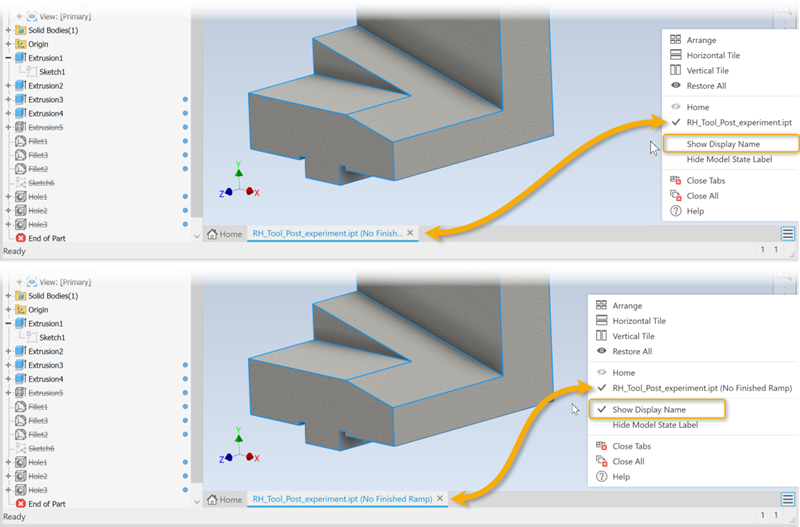
You can now switch between using the file name or the display name in the document tabs. Use the new option in the Document Settings menu, Show Display Name, to change the displayed name.
For more information see To Work with Graphics Windows.
Library Update Tool
You can now create a backup of libraries before updating them.
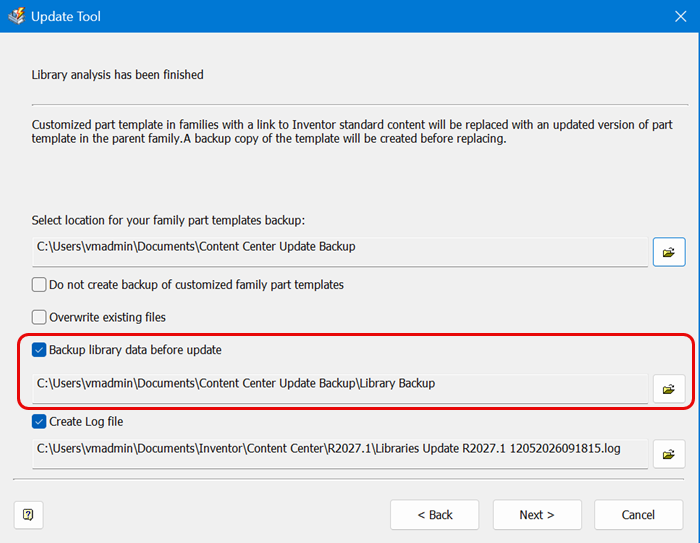
For more Information see Migrate custom libraries