Part Enhancements
Learn about the Part modeling enhancements for Inventor 2027.1.
Parameter Editor
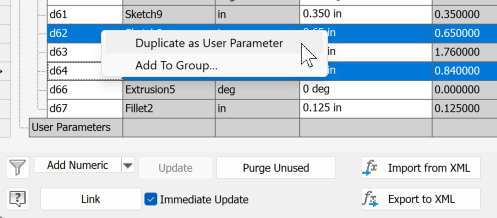
The Parameter Editor now supports multi-select.
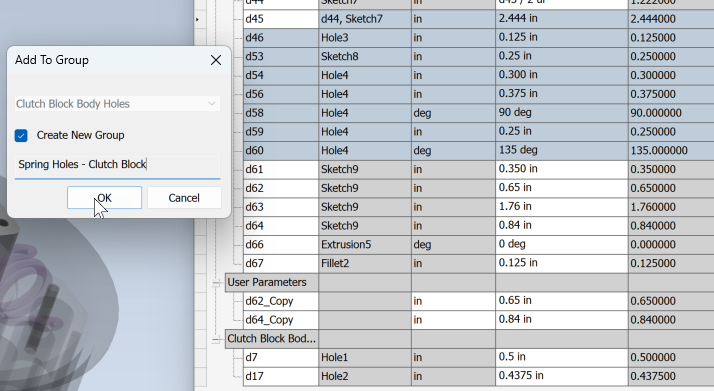
Multi-select. You can now select multiple rows in the Parameter Editor.
- Shift + Click selects all rows between the two selected.
- Ctrl + Click selects one row at a time, allowing for non-contiguous selection.
Duplicate as User Parameter. Copies selected parameters and adds them to User Parameters. The parameter name is kept and _Copy is appended to the name.
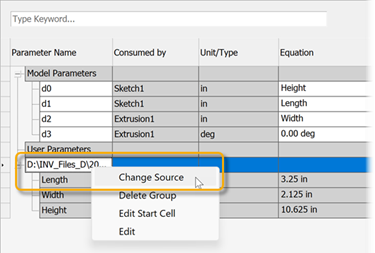
Change Source. You can now change the source of a reference file, such as an Excel file, from which you are referencing parameters. Right-click the file in the Parameter Editor and select Change Source.
If an error message Failed to edit dimension value displays, you need to assign the parameters from the linked file to parameters in the file is referenced into.
For more information see About Parameters in Models and To Work with Parameters in Models, or To Link Numeric Parameters Between Files.
Sculpt Command
The manipulator arrows have been updated to be the same size as other commands making their use easier.
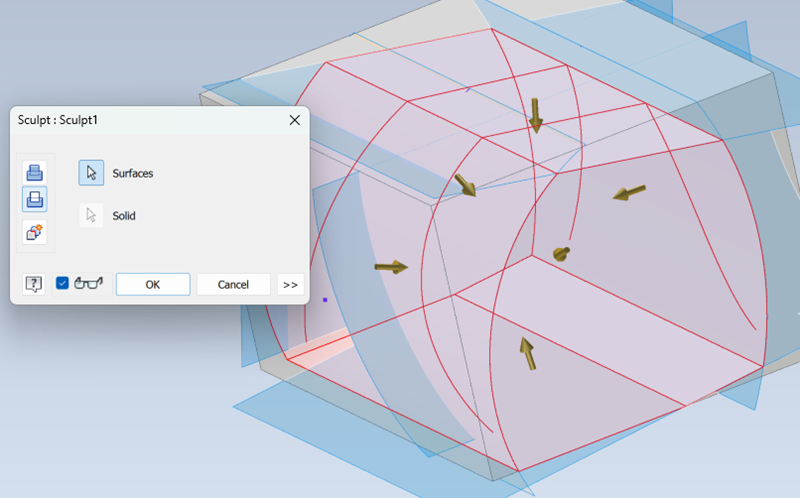
For more information see To Trim, Extend, or Sculpt Surfaces