Input / Output Codeblocks Reference
What's New: 2027
The Input / Output category provides blocks for building message boxes, logging message types, and blocks for displaying or closing forms.
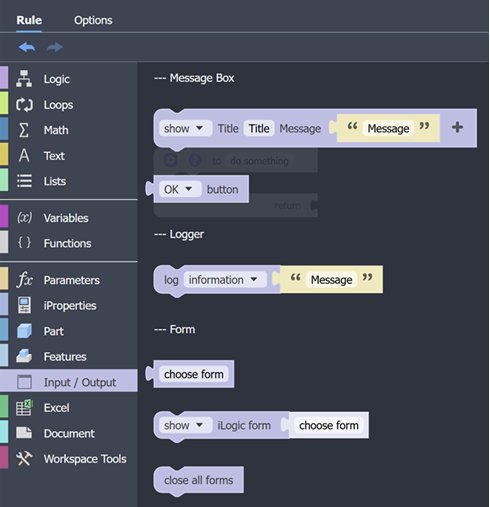
--- Message Box
Message box codeblocks display a message box with the specified content. In a message box you can include text, caption, buttons, icon, and a default button.
Show Message Box
Displays the specified message box, title, message, and associated fields if these are selected.

Clicking the '+' button displays button, icon, and default button fields.
Get Message Box
Displays a message box with the specified title, message, and optional default button. Returns the value of the button used to dismiss the dialog.

Clicking the '+' button displays button, icon, and default button fields.
Button Value
Gets the value of the selected button.

Available buttons are:
- OK
- Cancel
- Yes
- No
- Abort
- Retry
- Ignore
--- Logger
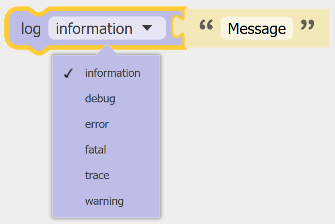
Writes a message to the iLogic Log with a category type. Message categories are information, debug, error, fatal, trace, or warning.
--- Form
Provides the means to display ilogic forms that are in the same document as the rule.
Choose Form
Displays the list of forms to select from.

Show or Close Form
Show or Close Form displays or closes the specified form.

Close All Forms
Closes all open iLogic forms.
