Loops Codeblocks Reference
What's New: 2027
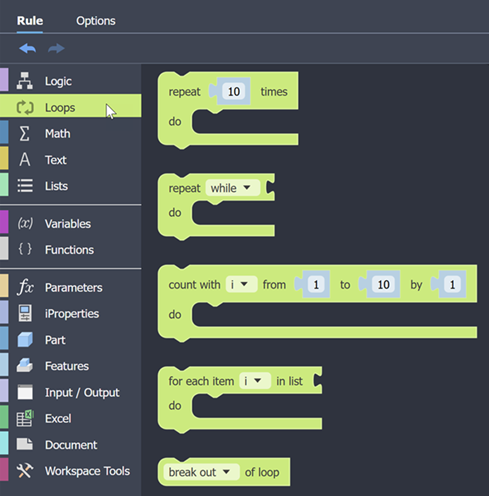
The Loops category provides essential building blocks for creating repetitive logic in your visual programs. Use these blocks to execute code multiple times, iterate over lists, and control loop flow with break or continue statements.
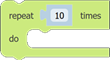
Repeat Codeblock
The repeat Codeblock runs the included code the given number of times.
Repeat While Codeblock
The repeat while Codeblock has two modes.
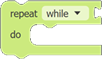
- Repeat While runs the included code while the evaluated condition is True.
- Repeat Until runs the included code until the evaluated condition becomes True.
Count with Codeblock
The Count with Codeblock advances a variable from the first value to the second value by the increment value.
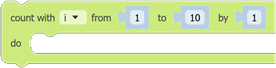
The 'i’ variable (Index) is added automatically. The drop-down can be used to select from all variables in the rule.
For Each Codeblock
The for each Codeblock performs an operation on each item in a list.
The 'i’ variable is added to your rule automatically and is used to contain a single item from the list while the loop is going through the list.
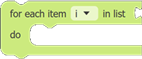
The drop-down can be used to select from all variables in the rule.
Loop Termination Codeblock
The Loop Termination Codeblock provides a way to stop the loop running when conditions are met.
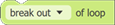
There are two types of loop termination.
- break out provides an early exit from the loop if its conditions are met.
- continue with next iteration will skip the remaining code, and start the next loop.