Learn about new features in this release of AutoCAD Map 3D 2027 toolset. For technical details, see the release notes.
Highlights
Additional Enhancements
- FDO Raster Provider Changes
- Improved COG File Performance: Interactions with Cloud Optimized GeoTIFF (COG) files are now significantly smoother.
- Removal of MrSID File Support: Support for MrSID files is deprecated in this release. Migrate any required data to supported formats to maintain access to geospatial data. MrSID files are also not supported by the MAPIINSERT command.
- Extended Support for Newer Versions of FDO Providers
- FDO PostGIS: Now supports PostgreSQL 18.0 and PostGIS 3.6
- FDO SQLite: Now supports 3.50.4
- Adding another vertex to a polyline using the Add Vertex handle editing function now works as expected, even when zooming with the mouse wheel during digitization.
- The FID Linker control now works correctly with views in the form of an industry model feature class.
- Moving industry model labels now displays the actual text clearly without obscuring the map background, regardless of whether Graphics Acceleration is on or off.
- Filtering in combo box controls for industry model forms now supports wildcards.
- When filtering details in the primary-detail form of industry model forms, the filter automatically applies to the primary form.
The following customer issues have been resolved in AutoCAD Map 3D 2027 toolset.
- FDO WMS/WFS/WMTS
- AutoCAD Map 3D no longer crashes when opening drawings that contain WMTS, WMS, or WFS connections with lengthy URLs.
- Fixed display issues for certain WMTS URLs.
- MAPTOACAD Command
- Now exports feature label lines correctly.
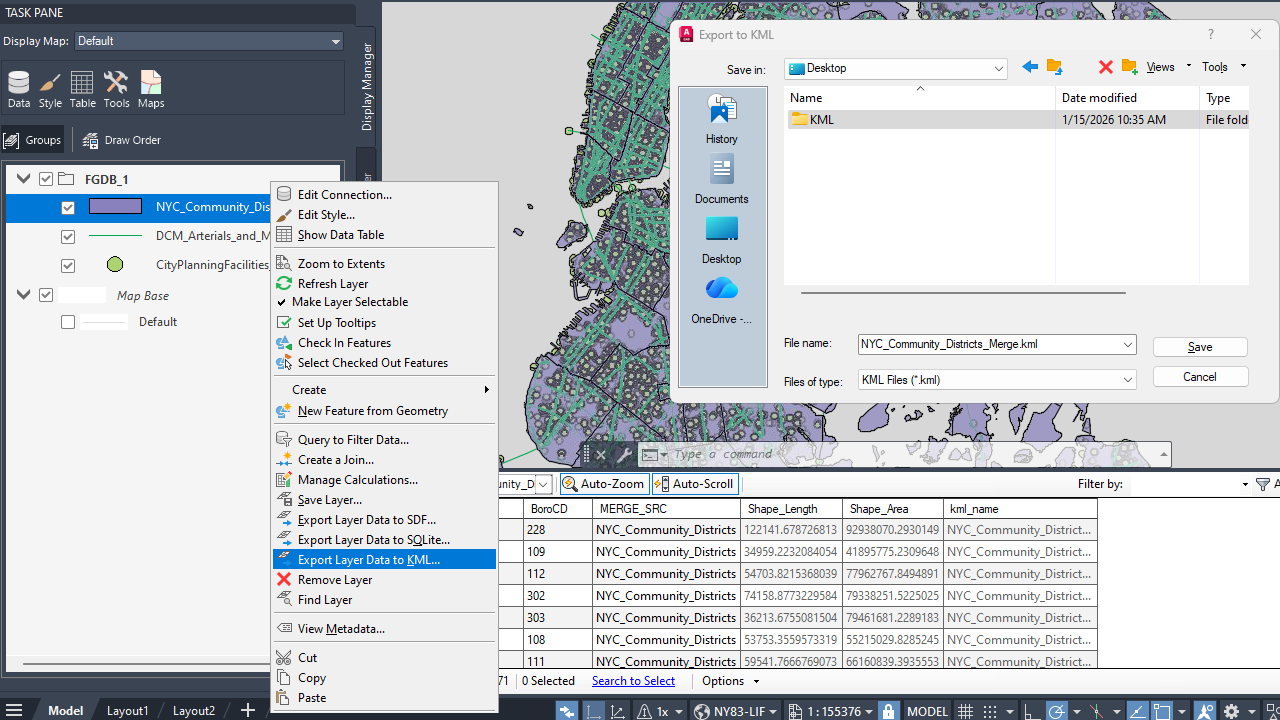
- AutoCAD Map 3D now exports circles to KML accurately and displays them properly after reimporting the KML file into a drawing with a different coordinate system.
- Industry Models
- Intersection for polygons with multipolygon geometry now works correctly.
- Numerical values in reports are now formatted consistently across Autodesk Infrastructure Administrator, Autodesk Industry Model Editor, and AutoCAD Map 3D.
- The date format on forms remains unchanged after exporting to Excel.
- SQL Sheet now displays numbers correctly in the grid view of tables.
- SQL Sheet now supports exporting data to XLSX format.
- Cross‑section labels in SQLite‑based industry models now display the correct values.
- Fixed a performance degradation issue that occurred when SQLite database views were used in display models.
- Numeric values are now displayed correctly on forms.
- AutoCAD Map 3D now handles VB warnings correctly on forms that contain VB scripts.
- MAPIMPORT Command
- Now works correctly with specific GML data.
- Now imports official INSPIRE GML data from Italy.
- MAPSYMBOLIMPORTEXPORT Command
- No longer changes layer names that contain special characters.