Capsule : GeometryClass
Capsule - superclass: GeometryClass; super-superclass:node - classID: #(1832744876, 2043230633)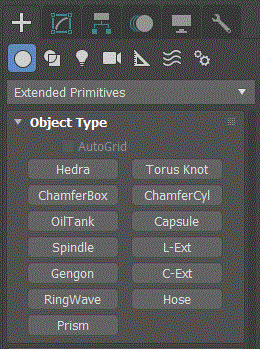
Constructor
capsule...Properties
<Capsule>.radius Float default: 15.0 -- animatableThe radius of the capsule.
<Capsule>.height Float default: 25.0 -- animatableThe height of the capsule.
<Capsule>.heighttype Integer default: 1Set what .height specifies:
0 - Overall
1 - Centers (not including domed caps)
<Capsule>.sides Integer default: 24 -- animatableSets the number of sides around the capsule.
Higher numbers shade and render as true circles with Smooth on.
Lower numbers create regular polygonal objects with Smooth off.
<Capsule>.heightsegs Integer default: 1 -- animatable; alias: height_segmentsThe number of divisions along the capsule's major axis.
<Capsule>.smooth BooleanClassdefault: true -- animatableWhen on, blends the faces of the capsule, creating a smooth appearance in rendered views.
<Capsule>.smooth_on Integer default: 1 -- animatableSmooth_on is an integer alias of smooth :
0- off
1- on
<Capsule>.sliceon BooleanClassdefault: false--animatableTurns on/off the Slice function.
<Capsule>.slice_on Integer default: 0 -- animatableSlice_on is an integer alias of sliceon :
0- off
1- on
<Capsule>.slicefrom Float default: 0.0 -- animatable, angle; alias: slice_fromSets the starting angle (on the local Z-axis) for slicing.
<Capsule>.sliceto Float default: 0.0 -- animatable, angle; alias: slice_toSets the angle (on the local Z-axis) to slice to.
<Capsule>.mapCoords BooleanClass default: falseWhen on, sets up the required coordinates for applying mapped materials to the capsule.
Interfaces
Interface:realWorldMapSizeInterfaceProperties
.realWorldMapSize: boolean : Read|WriteEnables/disables the real-world map size option.
Available in 3ds Max 8 and higher.