PCloud : GeometryClass
PCloud - superclass: GeometryClass; super-superclass:node - classID: #(470760751, 808520441)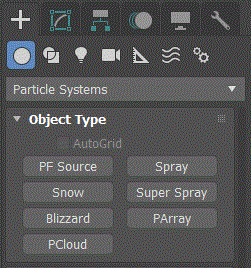
Constructor
pcloud...Properties
Basic Parameters
<PCloud>.emitter Node default: undefinedThe object which acts as an emitter.
<PCloud>.formation Integer default: 0Set the emitter formation:
0- Box Emitter
1- Sphere Emitter
2- Cylinder Emitter
3- Object-based Emitter
<PCloud>.Emitter_Rad_Len Float default: 0.0 -- animatableThe radius of a spherical or cylindrical icon, and the length of a box icon.
<PCloud>.Emitter_Width Float default: 0.0 -- animatableThe width of a box emitter.
<PCloud>.Emitter_Height Float default: 0.0 -- animatableThe height of a box or cylindrical emitter.
<PCloud>.emitterHidden Boolean default: falseHides the emitter in the viewport, when on.
The emitter is never rendered.
<PCloud>.viewType Integer default: 0Set the display icon for particles in the viewport:
0 - Dots (Displays the particles as dots.)
1 - Ticks (Displays the particles as crosses.)
2 - Mesh (Displays the particles as mesh objects. This results in slower viewport redraws.)
3 - Bbox (For instanced geometry only, this displays each instanced particle, whether a single object, a hierarchy, or a group, as a bounding box.)
<PCloud>.viewPercent Float default: 10.0 -- percentage, alias: Percentage_DisplayedThe percentage of particles displayed in the viewport.
Particle Generation
<PCloud>.quantityMethod Integer default: 0Set the method by which the number of particles is determined over time:
0 - Use Rate (Specifies a fixed number of particles emitted per frame.)
1 - Use Total (Specifies a total number of particles formed over the life of the system.)
TIP
Generally, Use Rate is best for a continuous flow of particles, like a trail of pixie dust, while Use Total is better for bursts of particles over a short period of time.
<PCloud>.Birth_Rate Integer default: 10 -- animatableThe number of particles emitted per frame.
<PCloud>.Total_Number Integer default: 100The total number of particles to be emitted.
<PCloud>.speed Float default: 0.0 -- animatableThe velocity of the particle at birth, along the normal, in units traveled per frame.
<PCloud>.Speed_Variation Float default: 0.0 -- animatable, percentagePercentage of variation to the speed of emission for each particle.
<PCloud>.motionType Integer default: 0Set the particle's motionType
0 - Random Direction (This option emits particles in random directions.)
1 - Enter Vector (The direction of the particles is determined by a vector defined by the three X, Y, and Z vectors.)
2 - Reference Object (Emits particles in the direction of the local Z axis of a specified object.)
<PCloud>.Direction_Vector_X Float default: 1.0 -- animatableThe particle direction vectors for the X-axis.
<PCloud>.Direction_Vector_Y Float default: 0.0 -- animatableThe particle direction vectors for the Y-axis.
<PCloud>.Direction_Vector_Z Float default: 0.0 -- animatableThe particle direction vectors for the Z-axis.
<PCloud>.motionReferenceObject Node default: undefinedThe object used as the reference object.
<PCloud>.directionVariation Float default: 0.0 -- animatable, percentage, alias: Speed_Direction_VariationPercentage of variation to the direction when you choose either the Direction Vector or Reference Object option.
<PCloud>.Emitter_Start Time default: 0fThe frame at which particles begin to exist in the scene.
<PCloud>.Emitter_StopTime default: 0fThe last frame at which particles are emitted.
<PCloud>.Display_Until Time default: 100fTime at which all particles will disappear, regardless of other settings.
<PCloud>.life Time default: 101f -- animatableThe lifespan of each particle from the time of creation.
<PCloud>.Life_Variation Time default: 0f -- animatableThe number of frames by which the life of each particle can vary from the norm.
<PCloud>.size Float default: 1.0 -- animatableThe target size for all particles in the system.
<PCloud>.Size_Variation Float default: 0.0 -- animatable, percentageThe percentage by which the size of each particle may vary from the norm.
<PCloud>.Growth_Time Time default: 0fThe number of intervals over which the particle grows from being very small (0.1a system constant) to the Size value.
<PCloud>.Fade_Time Time default: 0fThe number of intervals over which the particle will shrink to 1/10 th its Size setting prior to its death.
<PCloud>.seed Integer default: 0 -- alias: Random_SeedBy changing the Seed value, you achieve different results using otherwise identical particle settings.
Particle Type
<PCloud>.particleType Integer default: 0The type of particle emitted:
0 - Standard Particle (Uses one of several standard particle types, such as triangle, cube, tetra, and so on.)
1 - MetaParticles (Uses Metaball particles. These are particle systems in which the individual particles blend together in blobs or streams.)
2 - Instanced Geometry (Generates particles that are instances of either an object, a linked hierarchy of objects, or a group.)
<PCloud>.standardParticle Integer default: 0Set the type of particle used when standard particles is selected:
0 - Triangle (Renders each particle as a triangle. Use Triangle particles with noise opacity for steam or smoke.)
1 - Cube (Renders each particle as a cube.)
2 - Special (Each particle consists of three intersecting 2D squares. These are effective when you use a face-map material, optionally along with an opacity map, to create the effect of a three-dimensional particle.)
3 - Facing (Renders each particle as a square that always faces the view. Use with an appropriate opacity map for bubbles or snowflakes.)
4 - Constant (Provides a particle that remains the same size, in pixels, specified by thesizevalue. This size never changes, regardless of its distance from the camera. Note that this particle type can only be displayed in the viewports as a dot or a tick. If you turn on this option while Mesh is selected, the viewport display is automatically switched to Ticks.)
5 - Tetra (Renders each particle as a mapped tetrahedron, whose tail points toward the normal vector of the emission, and whose head points away. Use Tetra particles for raindrops or sparks.)
6 - SixPoint (Renders each particle as a six-pointed, two-dimensional star.)
7 - Sphere (Renders each particle as a sphere.)
<PCloud>.Metaparticle_Tension Float default: 1.0 -- animatableDetermines the tightness of the particles, with regard to their tendency to blend with other particles. The higher the Tension, the harder the blobs, and the harder it is for them to merge.
<PCloud>.Metaparticle_Tension_Variation Float default: 0.0 -- animatable, percentageThe percent of variation of the Tension effect.
<PCloud>.metaballRenderCoarsness Float default: 0.5 -- alias: Metaparticle_CoarsenessThe coarseness for metaparticles in the rendered scene.
<PCloud>.metaballViewCoarsness Float default: 1.0The coarseness for the viewport display.
<PCloud>.metaballAutoCoarsness Boolean default: trueWhen this is on, the rendering coarseness is automatically set, based on the size of the particles, and the viewport coarseness is set to about twice that of the rendering coarseness.
<PCloud>.instancingObject Node default: undefinedThe object which is instanced.
<PCloud>.instanceSubTree Boolean default: falseTurn this on when you want to include the linked children of the picked object in the particle. If the picked object is a group, all children of the group are included.
<PCloud>.instanceKeyOffsetType Integer default: 0Set the animation offset keying:
0 - None (Each particle duplicates the timing of the original object. As a result, the animation of all particles will be identically timed.)
1 - Birth (The firstborn particle is an instance of the current animation of the source object at the moment of that particle's birth. Each subsequent particle then use the same start time for the animation.)
2 - Random (This option is the same as None when Frame Offset is set to 0. Otherwise, each particle is born using the same animation as the source object at the time of birth, but with a random offset of frames, based on the . instanceFrameOffset value.)
<PCloud>.instanceFrameOffset Integer default: 0 -- alias: Animation_Offset_AmountThe property value is the UI value times the number of ticks per frame. The number of ticks per frame is accessible via the ticksPerFrame system global variable.
<PCloud>.mappingType Integer default: 0Specifies how a mapped material affects the particles:
0- Time (Maps particles over time.)
1- Distance (Maps particles over a distance.)
<PCloud>.Mapping_Time_Base Time default: 30f -- animatableThe number of frames from the birth of the particle that it takes to complete one mapping of the particle.
<PCloud>.Mapping_Distance_Base Float default: 100.0 -- animatableThe distance, in units, from the birth of the particle that it takes to complete one mapping of the particle.
<PCloud>.materialSource Integer default: 0Updates the material carried by the particle system, using the source specified:
0 - Icon (The particles use the material currently assigned to the particle system icon.)
1 - Instanced Geometry (The particles use the material assigned to the instanced geometry.)
Rotation and Collision
<PCloud>.Spin_Time Time default: 0f—animatableThe number of frames for one rotation of a particle. If set to 0, no rotation takes place.
<PCloud>.Spin_Time_Variation Float default: 0.0 -- animatable, percentageThe percent of variation of the Spin Time.
<PCloud>.Spin_Phase Float default: 0.0 -- animatable, angleThe initial particle rotation, in degrees.
<PCloud>.Spin_Phase_Variation Float default: 0.0 -- animatable, percentageThe percent of variation of the Phase.
<PCloud>.spinAxisType Integer default: 0The spin axis for the particles:
0 - Random (The spin axis for each of the particles is random.)
1 - Direction of Travel/Mblur (Rotates the particles about a vector formed by the direction in which they're moving.)
2 - User Defined (Uses a vector defined in the three X, Y, and Z spin vector values.)
<PCloud>.Blur_Stretch Integer default: 0 -- animatableWhen greater than 0, the particles stretch along the travel axis, depending on their speed. Specifically, the Stretch value specifies the percent of their length per each unit of the Speed setting (in the Particle Motion group). Thus, if you set Stretch to 2 while Speed is set at 10, the particles are stretched 20 percent longer than their original size along the axis of their travel. This value is only available when you choose Direction of Travel/Mblur.
<PCloud>.X_Spin_Vector Float default: 1.0 -- animatableSpin vector of the X-axis.
<PCloud>.Y_Spin_Vector Float default: 0.0 -- animatableSpin vector of the Y-axis.
<PCloud>.Z_Spin_Vector Float default: 0.0 -- animatableSpin vector of the Z-axis.
<PCloud>.Spin_Axis_Variation Float default: 0.0 -- animatable, angleThe amount, in degrees, by which the spin axis of each particle may vary from the specified X Axis, Y Axis, and Z Axis settings.
<PCloud>.Interparticle_Collisions_On Integer default: 0Turn on/off interparticle collisions:
0- Off
1- On
<PCloud>.Interparticle_Collision_Steps Integer default: 2The number of intervals per rendering interval, during which an inter-particle collision test is conducted. The higher the value, the more accurate the simulation, but the slower the simulation will run.
<PCloud>.Interparticle_Collision_Bounce Float default: 100.0 -- animatable, percentageThe degree to which speed is recovered after a collision.
<PCloud>.Interparticle_Collision_Bounce_Variation Float default: 0.0 -- animatable, percentageThe percentage of random variation of the Bounce value, applied to the particles.
Object Motion Inheritance
<PCloud>.motionInfluence Float default: 100.0 -- animatable, alias: Object_Motion_InheritanceThe percent of particles that inherit the motion of the object-based emitter at the moment of particle formation.
<PCloud>.motionMultiplier Float default: 1.0 -- animatable, alias: Object_Motion_MultiplierModifies the amount by which the emitter motion affects the particle motion. This can be a positive or negative number.
<PCloud>.motionVariation Float default: 0.0 -- animatable, percentage; alias: Object_Motion_Multiplier_VariationPercentage of variation of the Multiplier value.
Bubble Motion
<PCloud>.Bubble_Amplitude Float default: 0.0 -- animatableThe distance the particle moves off its usual velocity vector as it travels.
<PCloud>.Bubble_Amplitude_Variation Float default: 0.0 -- animatable, percentageThe percent of Amplitude variation applied to each particle.
<PCloud>.Bubble_Period Time default: 100000f—animatableThe cycle time for one complete oscillation of a particle through the bubble "wave". A recommended value might be 20-30 intervals.
<PCloud>.Bubble_Period_Variation Float default: 0.0 -- animatable, percentageThe percent of Period variation for each particle.
<PCloud>.Bubble_Phase Float default: 0.0 -- animatable, angleThe initial displacement of the bubble pattern along the vector.
<PCloud>.Bubble_Phase_Variation Float default: 0.0 -- animatable, percentageThe percent of Phase variation for each particle.
Particle Spawn
<PCloud>.spawnType Integer default: 0Determines what happens to particles at either collision or death:
0 - None (Particles act as they normally would. That is, upon collision, they either bounce or stick, depending on Particle Bounce settings in the deflector, and on death they disappear.)
1 - Die After Collision (Particles disappear when they strike a deflector to which they're bound, such as the SDeflector.)
2 - Spawn on Collision (Spawn effects take place upon collision with a bound deflector.)
3 - Spawn on Death (Spawn effects take place at the end of each particle's life.)
4 - Spawn Trails (Particles are spawned from existing particles at each frame of that particle's life.)
<PCloud>.Die__X_frames_after_collision Time default: 0f -- animatableThe life, in frames, that the particle will persist after the collision. Setting this to 0 (the default) causes particles to vanish immediately after the collision.
<PCloud>.Die__X_frames_after_collision_variation Float default: 0.0 -- animatable, percentageVaries the Persist value of each particle, when Persist is greater than 0. This lets you "feather" the dying off of the particle density.
<PCloud>.Spawn_Generations Integer default: 1The number of spawns beyond the original particle generation. For example, if this is set to 1, and you're spawning at death, one spawning will occur beyond the original lifespan of each particle.
<PCloud>.Spawn_Multiplier Integer default: 1Multiplies the number of particles spawned at each spawning event.
<PCloud>.Spawn_Direction_Chaos Float default: 0.0 -- animatable, percentageThe amount by which the direction of the spawned particle can vary from the direction of the parent particle. A setting of 0 means no variance. A setting of 100 causes the spawned particle to travel in any random direction. A setting of 50 causes the spawned particle to deviate from its parent's path by up to 90 degrees.
<PCloud>.Spawn_Speed_Chaos Float default: 0.0 -- animatableRandom percentage range of scaling of the spawned particles relative to their parents, and dependent on the options below.
<PCloud>.spawnSpeedType Integer default: 0Sets the type of speed applied to spawn particles:
0 - Slow (Applies the . spawn_Speed_Chaos value randomly to slow the speed of the spawned particles.)
1 - Fast (Randomly speeds up particles based on the . spawn_Speed_Chaos value.)
2 - Both (Some particles speed up, while others slow down, based on the . spawn_Speed_Chaos value.)
<PCloud>.spawnInheritVelocity Boolean default: falseWhen on, spawned particles inherit the speed of their parents, in addition to the effect of the . spawn_Speed_Chaos value.
<PCloud>.spawnSpeedFixed Boolean default: falseWhen on, uses the . spawn_Speed_Chaos value as a set value, rather than as a range applied randomly to each particle.
<PCloud>.Spawn_Scale_Chaos Float default: 0.0 -- animatableThe range of a percentage of change in the speed of the spawned particle relative to its parent. A value of 0 means no change.
<PCloud>.spawnScaleType Integer default: 0The type of speed scaling for the spawned particles:
0 - Slow (Applies the speed factor randomly to slow the speed of the spawned particles.)
1 - Fast (Randomly speeds up particles based on the speed factor.)
2 - Both (Some particles speed up, while others slow down, based on the speed factor.)
<PCloud>.spawnScaleFixed Boolean default: falseWhen on, uses the . spawn_Scale_Chaos value as a set value, rather than as a range applied randomly to each particle.
<PCloud>.lifespanValueQueue Array default: #()lifespanValueQueue is an array of integers which correspond to lifespan values for each spawned generation of particles.
<PCloud>.Spawn_Lifespan Integer default: 0Value that sets initial lifespan of spawned particles.
<PCloud>.objectMutationQueue Array default: #()objectMutationQueue is an array of nodes which correspond to instanced-object particle types. Each generation of spawning will use the next node as its object type.