Cylinder : GeometryClass
Cylinder - superclass: GeometryClass; super-superclass:node - classID: #(18, 0)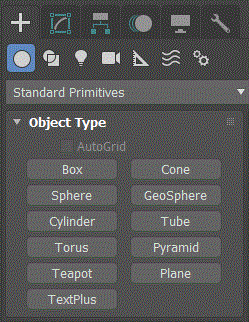
Constructor
cylinder...Properties
<Cylinder>.radius Float default: 15.0 -- animatable; worldunitsThe radius of the cylinder.
<Cylinder>.height Float default: 25.0 -- animatable; worldunitsHeight along the central axis.
Negative values create the cylinder below the construction plane.
<Cylinder>.heightsegs Integer default: 1 -- animatable, alias: Height_SegmentsThe number of divisions along the cylinder's major axis.
<Cylinder>.capsegs Integer default: 1 -- animatable, alias: Cap_SegmentsThe number of concentric divisions around the center of the cylinder's top and bottom.
<Cylinder>.sides Integer default: 24 -- animatableThe number of sides around the cylinder.
With Smooth on, higher numbers shade and render as true circles.
With Smooth off, lower numbers create regular polygonal objects.
<Cylinder>.smooth booleanclass default: true -- animatableWhen on, the faces of the cylinder are blended together, creating a smooth appearance in rendered views.
<Cylinder>.slice booleanclass default: false -- animatable; boolean; alias: sliceon, slice_onTurns on/off slice function.
<Cylinder>.sliceFrom Float default: 0.0 -- animatable, angle, alias: Slice_FromSets the starting angle (on the local Z-axis) for slicing.
<Cylinder>.sliceTo Float default: 0.0 -- animatable, angle, alias: Slice_ToSets the angle (on the local Z-axis) to slice to.
<Cylinder>.mapCoords booleanclass default: false -- boolean; alias: generate_texture_coordsWhen on, sets up the required coordinates for applying mapped materials to the cylinder.
Type In Properties:
Available in 3ds Max 2018 and higher: These properties reflect the parameters on the Keyboard Entry rollout for each geometry object. These parameters can be set on any existing object.
<Cylinder>.typeinCreationMethod Integer default: 1 -- integer; Creation_MethodGets or sets the Creation Method. Possible values are:
- 0 = Edge
- 1 = Center
<Cylinder>.typeInHeight Float default: 0.01 -- float; HeightGets or sets the height Keyboard Entry value.
<Cylinder>.typeInRadius Float default: 0.0 -- float; RadiusGets or sets the Radius 1 (bottom) and Radius 2 (top) Keyboard Entry values.
<Cylinder>.typeInPos Point3 default: [0,0,0] -- point3; Type_in_PositionGets or sets the Keyboard Entry position values as a Point3.
Interfaces
Interface:realWorldMapSizeInterfaceProperties
.realWorldMapSize: boolean : Read|WriteEnables/disables the real-world map size option.Available in 3ds Max 8 and higher.