Photometric Lights Common Properties, Operators, and Methods
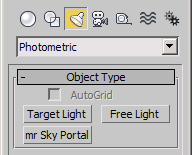
In 3ds Max 2009 and higher, all Photometric Lights share the same set of properties. Every Photometric Light type can be freely switched to any other type. See the .type property in the LightProperties interface.
See Photometric Light Classes for details.
Properties
General Parameters Rollout
Light Properties
<Photometric_Light>.on Boolean default: true -- booleanToggle light emission on and off.
<Photometric_Light>.targetDistance Float default: 240.0 -- animatable; float; Target_DistanceGet/set the distance to the light's target.
Shadows
<Photometric_Light>.castShadows BooleanClass default: true -- boolean; Cast_ShadowsToggle shadow casting on and off.
<Photometric_Light>.useGlobalShadowSettings BooleanClass default: false -- boolean; Use_Global_ParamsWhen set to true, the shadow generator will use the global shadow settings. When set to false, the local settings will be used.
<Photometric_Light>.shadowGenerator shadowMap default: shadowMap:shadowMap -- value; SubAnimGet/Set the Shadow Generator as class instance.
Exposed by the LightProperties interface.
<Photometric_Light>.shadowGeneratorByName String default: "Shadow Map" -- valueGet/Set the Shadow Generator by name.
Exposed by the LightProperties interface.
<Photometric_Light>.raytracedShadows BooleanClass default: false -- valueGet/Set use of raytraced shadows. Exposed by the LightProperties interface.
This property should not be used in 3ds Max 5 and higher. Please use the .shadowGenerator property to assign a shadow generator.
The property is exposed for backwards compatibility only. In versions prior to 3ds Max 5, the only possible shadow generator types were Shadow Maps and Raytraced Shadows. Setting this property will switch the shadow generator internally. Currently, the number of possible shadow generators is much higher (including 3rd party plug-ins), so this property is obsolete.
<Photometric_Light>.maxDepth Integer default: 7 -- animatable; integer; Max_Quadtree_DepthThe maximum quadtree depth setting for ray traced shadows.
<Photometric_Light>.raytraceBias Float default: 0.2 -- animatable; float; BiasThe Ray Bias amount for ray traced shadows.
<Photometric_Light>.twoSidedShadows BooleanClass default: false -- booleanGet/set the 2 Sided Shadows setting for ray traced shadows.
Include/Exclude Lists
<Photometric_Light>.excludeList Array default: #() -- valueGet/Set the exclusion list as an array on objects. When setting the value, the Include/Exclude option will be set to Exclude.
Exposed by the LightProperties interface .
<Photometric_Light>.includeList UndefinedClass default: undefined -- value; !error setting value!Get/Set an array of objects to be included in the illumination by the light. When setting the value, the Include/Exclude option will be set to Include.
Exposed by the LightProperties interface.
Light Distribution (Type)
<Photometric_Light>.distribution Integer default: 0 -- valueGet/Set the distribution type.
Possible values are:
0 - Uniform Spherical
1 - Spotlight (not valid for Sphere and Cylinder types)
2 - Uniform Hemispherical (not valid for Sphere and Cylinder types)
3 - Photometric Web File (not valid for Sphere and Cylinder types)
Exposed by the LightProperties interface .
Intensity/Color/Attenuation Rollout
Color
<Photometric_Light>.color Color default:(color 265.933 250.885 263.562)-- color by valueThe RGB Color of the light. Alias for .rgb and .Light_Color.
Exposed by the LightProperties interface .
<Photometric_Light>.useKelvin BooleanClass default: false -- boolean; Use_KelvinGet/set the state of the Kelvin/Color radio button. When set to true , the color temperature in Kelvin will be used. When false , the RGB Color will be used instead.
<Photometric_Light>.kelvin Float default: 3600.0 -- animatable; floatGet/set the color temperature in Kelvin.
<Photometric_Light>.rgbFilter Color default: (color 255 255 255) -- animatable; RGB color; Filter_Color; Controller Scaling: ([1,1,1] : (color 255 255 255)) )Get/set the Filter Color.
Intensity
<Photometric_Light>.intensityType Integer default: 1 -- integer; Intensity_TypeGet/set the Intensity type.
Possible values are:
0 - lm
1 - cd
2 - lx at
<Photometric_Light>.intensityFloat default: 1500.0 -- animatable; floatGet/set the Intensity value.
intensityType setting.<Photometric_Light>.intensityAt Float default: 39.3701 -- float; Intensity_AtGet/Set the Distance at which the intensity is measured when intensityType is set to 2 - lx at.
<Photometric_Light>.flux Float default: 0.0 -- floatSet the Light Intensity in lm.
<Photometric_Light>.originalFlux Float default: 0.0 -- float<Photometric_Light>.originalIntensity Float default: 0.0 -- float; Shape_Area_ShadowsDimming
<Photometric_Light>.useMultiplier BooleanClass default: false -- boolean; Use_DimmerGet/set the state of the Dimming checkbox.
<Photometric_Light>.Multiplier Float default: 100.0 -- animatable; floatGet/set the Dimming multiplier value in percent.
<Photometric_Light>.shiftColorWhenDimming BooleanClass default: false -- boolean; Shift_Color_When_DimmingGet/set the state of the "Incandescent lamp color shift when dimming" checkbox.
Far Attenuation
<Photometric_Light>.useFarAttenuation BooleanClass default: false -- boolean; Use_Far_AttenuationGet/set the state of the Use Far Attenuation checkbox.
<Photometric_Light>.displayFarAttenuationGizmo BooleanClass default: false -- boolean; Display_Far_Attenuation_GizmoGet/set the state of the Show Far Attenuation checkbox.
<Photometric_Light>.startFarAttenuation Float default: 80.0 -- animatable; worldUnits; Start_Far_AttenuationGet/set the Start Far Attenuation value.
<Photometric_Light>.endFarAttenuation Float default: 200.0 -- animatable; worldUnits;Vertical_Circle_Facing_Photometric_HorizontalGet/set the End Far Attenuation value.
Shape / Area Shadows Rollout
<Photometric_Light>.type Name default: #Free_Point -- valueGet/Set the Type of the Photometric Light.
Possible values are:
#Free_Point
#Free_Line
#Free_Rectangle
#Free_Disc
#Free_Sphere
#Free_Cylinder
#Target_Point
#Target_Line
#Target_Rectangle
#Target_Disc
#Target_Sphere
#Target_Cylinder
Exposed by LightProperties interface .
<Photometric_Light>.light_length Float default:122.0 -- animatable; worldUnitsGet/set the length of the Area light where applicable.
<Photometric_Light>.light_width Float default:61.0 -- animatable; worldUnitsGet/set the width of the Area light where applicable.
<Photometric_Area>.light_radius Float default: 13.0 -- animatable; worldUnitsGet/set the radius of the Area light where applicable.
<Photometric_Light>.length Float default:122.0 --floatGet/set the length of the Area light.
<Photometric_Light>.width Float default: 61.0 -- floatGet/set the width of the Area light.
Distribution (Spotlight) Rollout
<Photometric_Light>.showCone BooleanClass default: false -- boolean; Cone_DisplayGet/set the state of the "Cone visible in viewport when unselected" checkbox.
<Photometric_Light>.hotSpot Float default: 30.0 -- animatable; float; Beam_AngleGet/set the Hotspot/Beam angle. Used only when .distribution is set to 1 - Spotlight.
<Photometric_Light>.falloff Float default: 60.0 -- animatable; float; Field_AngleGet/set the Hotspot/Beam angle. Used only when .distribution is set to 1 - Spotlight.
Distribution (Photometric File) Rollout
<Photometric_Light>.webFile String default: "" -- filename; Web_FilenameThe Web file used when .distribution is set to 0 - Web.
<Photometric_Light>.xRotation Float default: 0.0 -- float; X_RotationThe Photometric Web X rotation value. Used only when .distribution is set to 0 - Web.
<Photometric_Light>.yRotation Float default: 0.0 -- float; Y_RotationThe Photometric Web Y rotation value. Used only when .distribution is set to 0 - Web.
<Photometric_Light>.zRotation Float default: 0.0 -- float; Z_RotationThe Photometric Web Z rotation value. Used only when .distribution is set to 0 - Web.
Shadow Parameters Rollout
Object Shadows
<Photometric_Light>.shadowColor Color default: (color 0 0 0) -- animatable; RGB color; Shadow_Color; Controller Scaling: ([1,1,1] : (color 255 255 255))Get/set the shadow color value.
<Photometric_Light>.shadowMultiplier Float default: 1.0 -- animatable; float; Shadow_DensityGet/set the Shadow Density value.
<Photometric_Light>.shadowColorMapEnable BooleanClass default: false -- boolean; Use_Shadow_Color_MapGet/set the state of the Shadow Map enable checkbox.
<Photometric_Light>.shadowProjectorMap UndefinedClass default: undefined -- texturemap; Shadow_Projector_MapGet/set the Shadow Projector Map.
<Photometric_Light>.lightAffectsShadow BooleanClass default: false -- boolean; Light_Affects_ShadowGet/set the state of the "Light Affects Shadow Color" checkbox.
Atmospheric Shadows
<Photometric_Light>.atmosShadows BooleanClass default: false -- boolean; Atmospheric_Shadows_OnToggle atmosphere shadows on/off.
<Photometric_Light>.atmosColorAmt Float default: 100.0 -- animatable; float; Atmospheric_Color_AmountGet/Set the atmosphere shadows color value.
<Photometric_Light>.atmosOpacity Float default: 100.0 -- animatable; float; Atmospheric_OpacityGet/Set the atmosphere shadows opacity value.
Advanced Effects Rollout
<Photometric_Light>.contrast Float default: 0.0 -- animatable; float; Light_ContrastGet/Set the Light Contrast value.
<Photometric_Light>.softenDiffuseEdge Float default: 0.0 -- animatable; float; Diffuse_SoftenGet/Set the Soften Diff. Edge value.
<Photometric_Light>.affectDiffuse BooleanClass default: true -- boolean; Affect_DiffuseWhen true , the light affects the diffuse color.
<Photometric_Light>.affectSpecular BooleanClass default: true -- boolean; Affect_DiffuseWhen true , the light affects the specular color.
<Photometric_Light>.ambientOnly BooleanClass default: false -- boolean; Ambient_OnlyWhen set to true, the light affects the Ambient color only.<Photometric_Light>.projector BooleanClass default: false -- booleanToggle the projector map on/off.
<Photometric_Light>.projectorMap UndefinedClass default: undefined -- texturemap; Projector_MapGet/Set the projector map.
The following interface is exposed by all Photometric Lights
Interface:LightPropertiesProperties
.type: value : Read|WriteGet/Set the Type of the Photometric Light.
Possible values are:
#Free_Point
#Free_Line
#Free_Rectangle
#Free_Disc
#Free_Sphere
#Free_Cylinder
#Target_Point
#Target_Line
#Target_Rectangle
#Target_Disc
#Target_Sphere
#Target_Cylinder
.distribution: value : Read|WriteGet/Set the distribution type.
Possible values are:
0 - Uniform Spherical
1 - Spotlight (not valid for Sphere and Cylinder types)
2 - Uniform Hemispherical (not valid for Sphere and Cylinder types)
3 - Photometric Web File (not valid for Sphere and Cylinder types)
.excludeList: value : Read|WriteGet/Set the exclusion list as an array on objects. When setting the value, the Include/Exclude option will be set to Exclude.
.includeList: value : Read|WriteGet/Set an array of objects to be included in the illumination by the light. When setting the value, the Include/Exclude option will be set to Include.
.shadowGenerator: value : Read|WriteGet/Set the Shadow Generator as class instance.
.shadowGeneratorByName: value : Read|WriteGet/Set the Shadow Generator by name.
.raytracedShadows: value : Read|WriteGet/Set use of raytraced shadows.
This property should not be used in 3ds Max 5 and higher. Please use the .shadowGenerator property to assign a shadow generator.
The property is exposed for backwards compatibility only. In versions prior to 3ds Max 5, the only possible shadow generator types were Shadow Maps and Raytraced Shadows. Setting this property will switch the shadow generator internally. Currently, the number of possible shadow generators is much higher (including 3rd party plug-ins), so this property is obsolete.
.color: color by value : Read|WriteGet/Set the color.
.enabled: boolean : Read|WriteGet/Set the enabled state.