PushSpaceWarp : SpacewarpObject
PushSpaceWarp - superclass: SpacewarpObject; super-superclass:node - classID: #(1028471973, 992097679)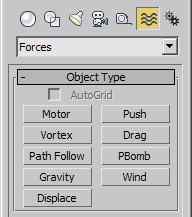
Constructor
pushSpaceWarp...Properties
<PushSpaceWarp>.On_Time Time default: 0fThe frame in which the space warp begins its effect.
<PushSpaceWarp>.Off_Time Time default: 30fThe frame in which the space warp ends its effect.
<PushSpaceWarp>.Basic_Force Float default: 1.0 -- animatableThe amount of force exerted by the space warp.
<PushSpaceWarp>.units Integer default: 0The unit of force used by the basic force:
0- Newtons
1- Pounds
<PushSpaceWarp>.Feedback_On Integer default: 0When on, the force varies depending on the speed of the affected objects relative to the specified Target Speed. When off, the force remains constant, regardless of the speed of the affected objects:
0- Off
1- On
<PushSpaceWarp>.Reversible Integer default: 0When on, if the object's speed exceeds the Target Speed setting, the force is reversed
0- Off
1- On
<PushSpaceWarp>.Target_Speed Float default: 100.0 -- animatableThe maximum speed in units per frame before the Feedback takes effect.
<PushSpaceWarp>.Control_Gain Float default: 50.0 -- animatableSpecifies how quickly the force adjusts to approaching the target speed. If set to 100 percent, the correction is immediate. If set lower, a slower and "looser" response occurs.
<PushSpaceWarp>.Enable_Variation Integer default: 0Turn on/off variations:
0- Off
1- On
<PushSpaceWarp>.Variation_Period_1 Time default: 0.625f—animatableThe time over which the noise variation makes a full cycle.
<PushSpaceWarp>.Amplitude_1 Float default: 100.0 -- animatableThe strength of the variation (in percent).
<PushSpaceWarp>.Variation_Phase_1 Float default: 0.0 -- animatable, angleOffsets the variation pattern.
<PushSpaceWarp>.Variation_Period_2 Time default: 0.625f—animatableProvides an additional variation pattern (a second wave) to increase the noise.
<PushSpaceWarp>.Amplitude_2 Float default: 100.0 -- animatableThe strength of the variation of the second wave (in percent).
<PushSpaceWarp>.Variation_Phase_2 Float default: 0.0 -- animatable, angleOffsets the variation pattern of the second wave
<PushSpaceWarp>.Range_Enable Integer default: 0When on, limits the range of the effect to a sphere, displayed as a tri-hooped sphere. The effect falls off increasingly as the particles near the boundary of the sphere.
0- Off
1- On
<PushSpaceWarp>.Range_Value Float default: 1000.0 -- animatableThe radius of the range of the effect, in units.
<PushSpaceWarp>.Icon_Size Float default: 0.0The size of the Push icon. This is for display purposes only, and does not alter the Push effect.
Associated Methods
bindSpaceWarp <node> <pushSpaceWarp_node>Associated Binding Modifier
PushModThis modifier is automatically created by the bindSpaceWarp() method, and is not otherwise creatable by MAXScript. There are no properties associated with this binding modifier.