Adobe Acrobat ActiveX Control
"Adobe Acrobat Control for ActiveX" "PDF.PdfCtrl.5" "{CA8A9780-280D-11CF-A24D-444553540000}" ActiveX Controls have been deprecated by Microsoft in the latest versions of the Windows operating system in favor of the DotNet framework and its controls.
While MAXScript still supports ActiveX controls, these have to be installed and registered on the system to be accessible to MAXScript.
As a replacement of ActiveX controls, MAXScript supports DotNet controls in 3ds Max 9 and higher.
The following example will not work unless the PDF ActiveX control is registered on your system.
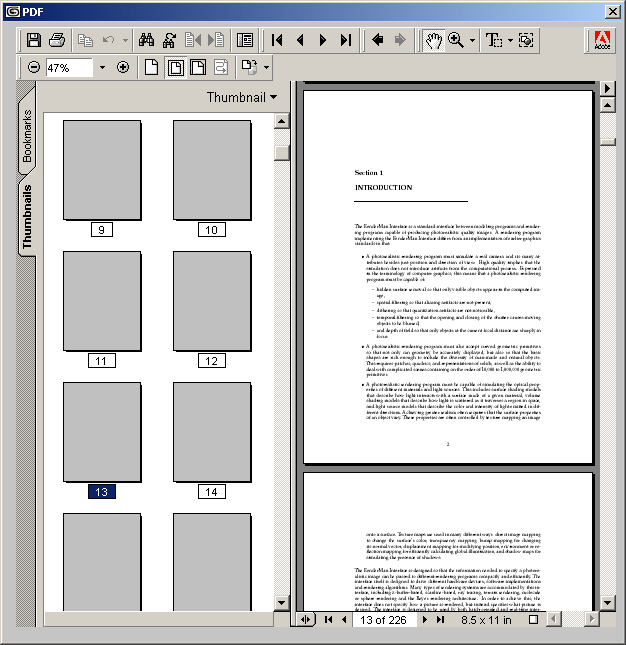
Properties
.src : stringGet/Set the source PDF file.
Methods
.LoadFile fileName:stringLoad a new PDF file.
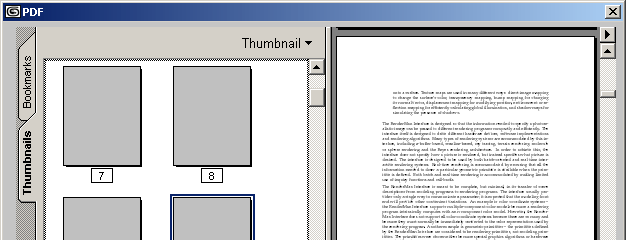
.setShowToolbar On:BooleanWhen the argument is false, the toolbar will be hidden. When the argument is true, the toolbar will be displayed.
.gotoFirstPage()Positions the PDF document at the first page.
.gotoLastPage()Positions the PDF document at the last page.
.gotoNextPage()Moves to the next page in the PDF document.
.gotoPreviousPage()Moves to the previous page in the PDF document.
.setCurrentPage n:integerSets the current page of the PDF document to the supplied integer argument.
.goForwardStack().goBackwardStack().setPageMode pageMode:stringSet the page mode to the supplied string argument.
.setLayoutMode layoutMode:stringSet the layout mode to the supplied string argument.
.setNamedDest namedDest:stringSet a named destination.
.Print()Print the PDF document.
.printWithDialog()Open the Print... dialog.
.setZoom percent:floatSet the Zoom to the specified float value.
.setZoomScroll percent:float left:float top:floatSet Zoom and Scroll to the specified float values.
.setViewview Mode:stringSet the view to the specified view mode.
.setViewScroll viewMode:string offset:floatSet the view to the specified view mode and the offset to the specified float value.
.setViewRect left:float top:float width:float height:floatSet the view to the rectangular area defined by the upper left corner, width and height values.
.printPages from:integer to:integerPrint a range of pages.
.printPagesFit from:integer to:integer shrinkToFit:booleanPrint a range of pages with optional fitting.
.printAll()Print all pages.
.printAllFit shrinkToFit:BooleanPrint a all pages, shrinking them to fit the paper format when the supplied argument is set to true.
.setShowScrollbars On:BooleanEnable/Disable the Scrollbars display.
.AboutBox()Open the About box. (Does not work at the moment)
Events
No events exposed by this control.