Thermoset Tutorial
This section presents an example of the data input required to create a thermoset UDB file.
1. Create a blank material data file (.aml) using the File > New Thermoset menu option
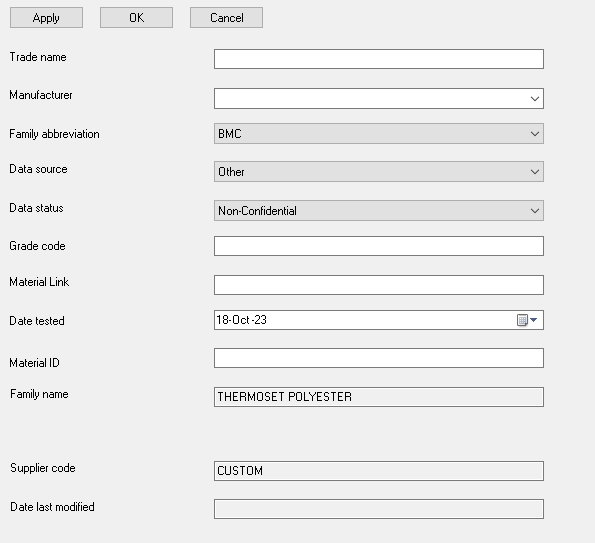
2. General Information
- Complete material information and click Apply
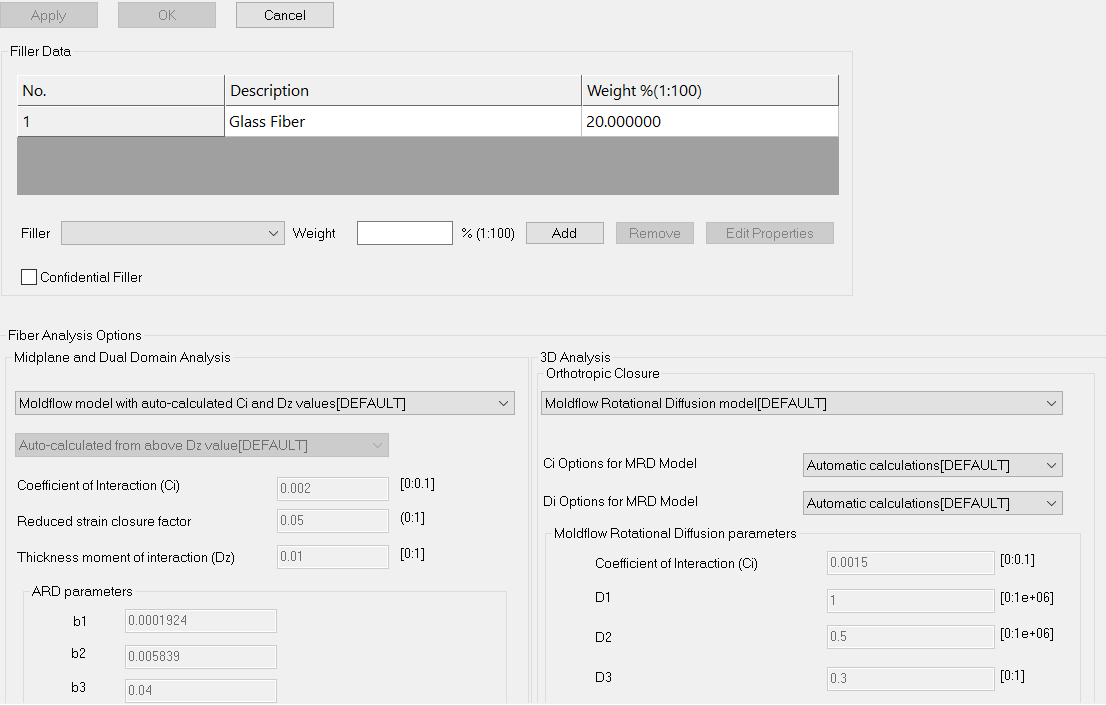
3. Filler
- Complete filler data for filled materials and click Apply
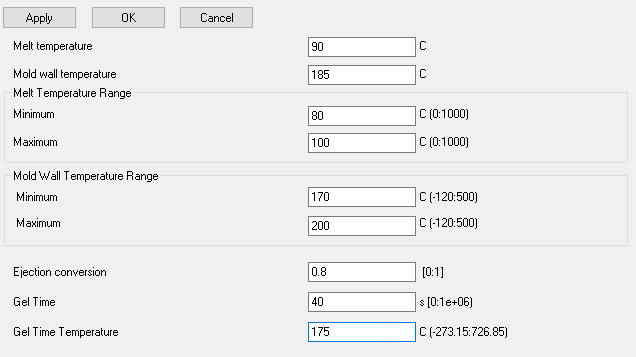
4. Processing and Design
- Complete Melt temperature and range, Mold temperature and range, Ejection conversion, Gel Time & Gel Time Temperature and click Apply
5. Specific Heat
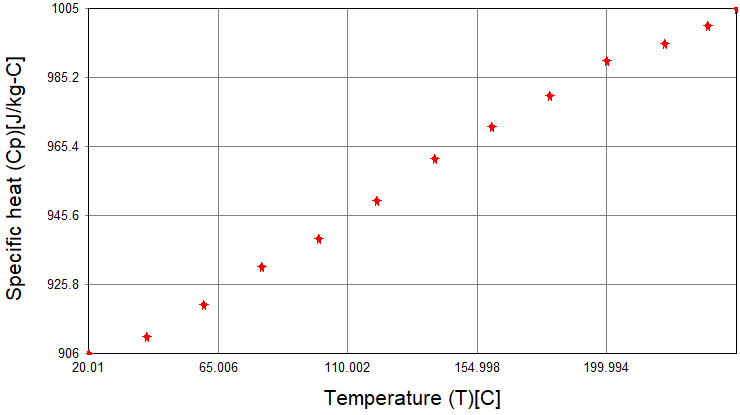
- Upload raw data containing Temperature, Specific Heat & Heating/Cooling rate. Click Apply then Plot to view data
Example of thermoset specific heat plot
6. Thermal Conductivity
- Upload raw data containing Temperature, Thermal Conductivity & Heating/Cooling rate. Click Apply then Plot to view data. Often thermosets may not have multi-point thermal conductivity data.
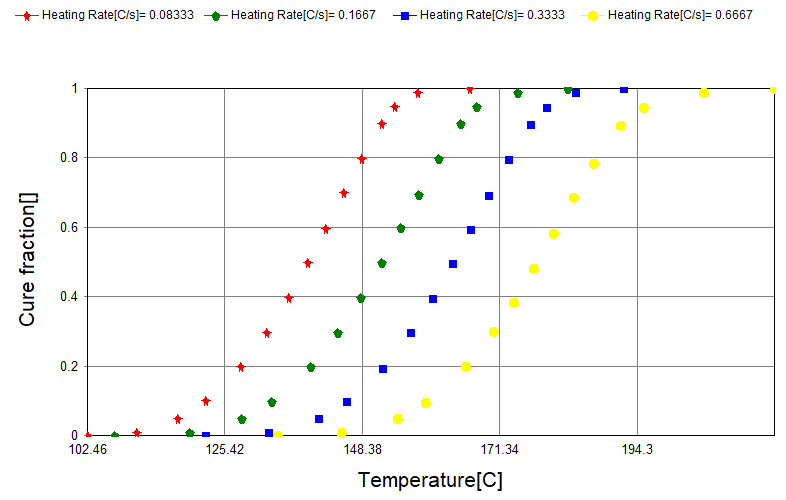
7. Raw Cure Kinetics
Choose the type of cure kinetics input from the following options based on raw data:
- Non-isothermal data (Time, Temperature, Cure fraction, Heating Rate)
- Isothermal data (Time, Temperature, Cure fraction)
- Kamal Model (no experimental data)
Upload raw data and click Apply then Plot to view data
8. Raw Reactive Viscosity
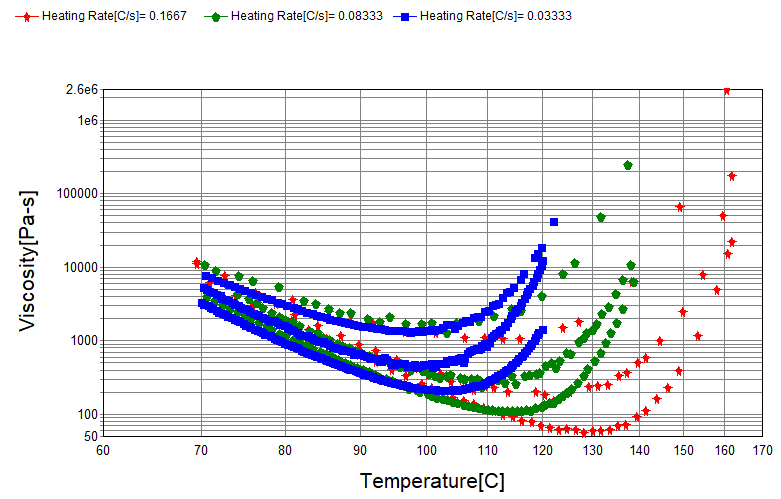
Choose the type of reactive viscosity input from the following options based on raw data:
- Non-isothermal data (Time, Temperature, Shear rate, Viscosity, Heating rate). Ideally this should contain data in the pre-curing phase to determine the temperature-shear_rate-viscosity relationship and the onset of cure to determine its influence on viscosity
- Isothermal data (Time, Temperature, Shear rate, Viscosity). Ideally this should contain data in the pre-curing phase to determine the temperature-shear_rate-viscosity relationship and the onset of cure to determine its influence on viscosity
- Basic data (Temperature, Shear rate, Viscosity). This is the least preferred but sometimes the only option available. It should contain data mainly in the pre-cure state, and no influence of curing can be fitted (C1 & C2 = 0)
- Reactive Viscosity Model (no experimental data)
Upload raw data and click Apply then Plot to view data
9. Raw PVT (Uncured) Input
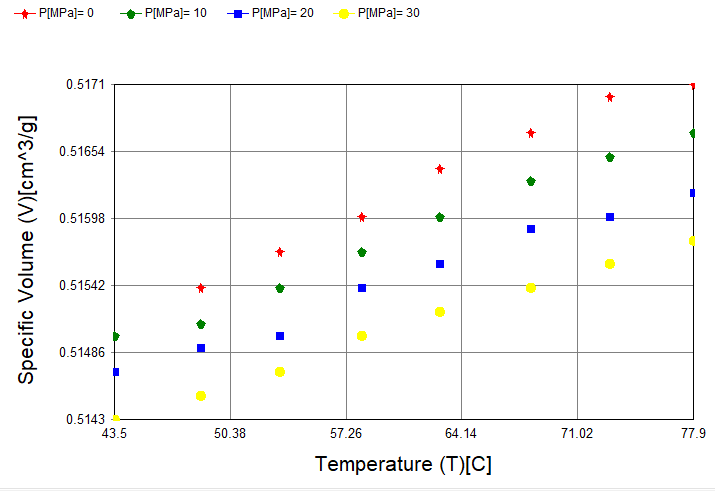
- Upload raw data containing Pressure, Temperature & Specific Volume for the uncured thermoset. Click Apply then Plot to view data.
Uncured thermoset pvT data typically contains data of the initial heating stages before curing occurs
10. Raw PVT (Cured) Input
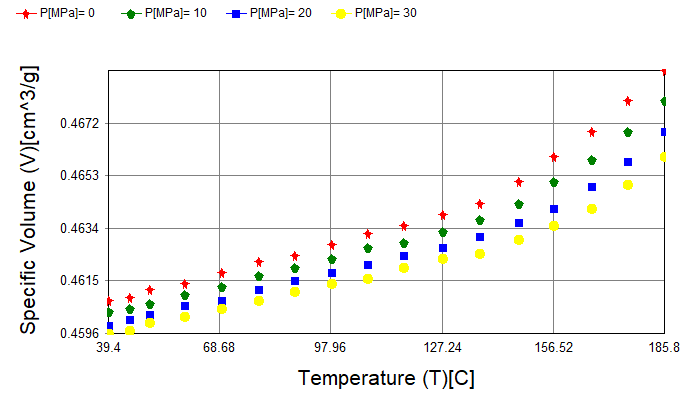
- Upload raw data containing Pressure, Temperature & Specific Volume for the cured thermoset. Click Apply then Plot to view data.
Cured thermoset pvT data typically contains data from the cooling of a cured sample
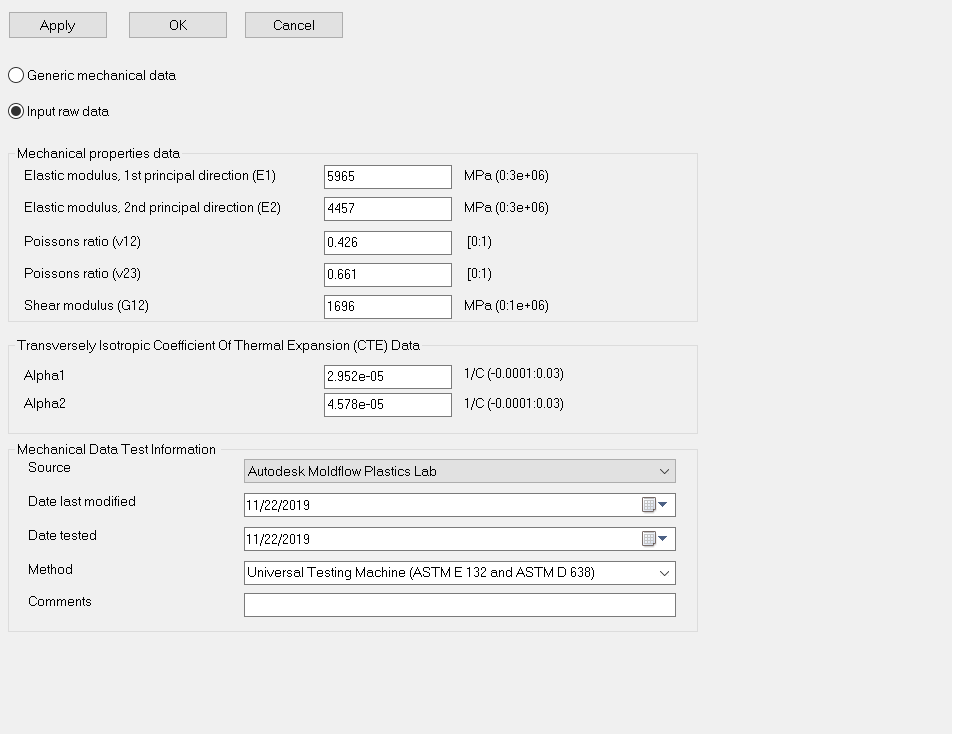
11. Mechanical Input
- Complete Elastic modulus, Poissons ratio, Shear Modulus & CTE data and click Apply
Note Thermosets do not have genenic values, so this option will be greyed out.
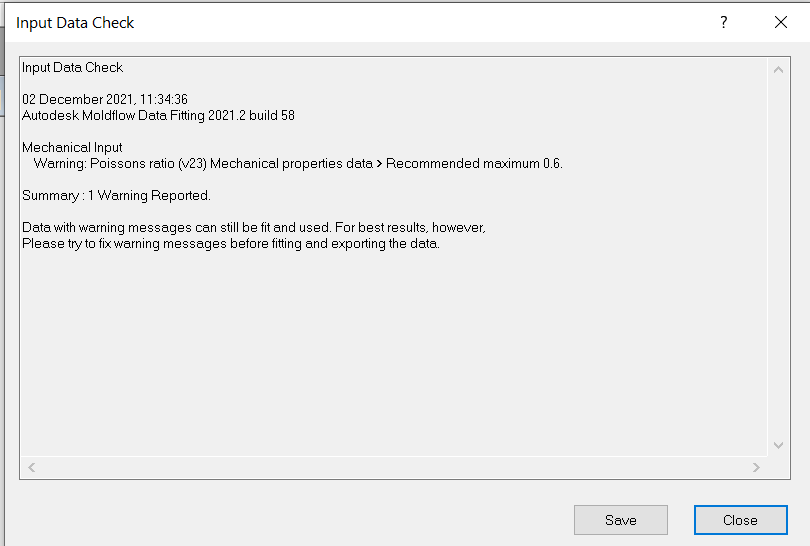
12. Check Input
- Click Check Input to perform data check. Address any errors before proceeding
13. Compute Results
- Click Compute Results to fit the following * models:
- PVT Model (Uncured)
- PVT Model (Cured)
Note: AMDF currently does not support Thermoset raw data fitting for Cure Kinetics and Reactive Viscosity models. Instead, users can input the model coefficients. Contact datafitting.moldflow@autodesk.com for raw data fitting services.
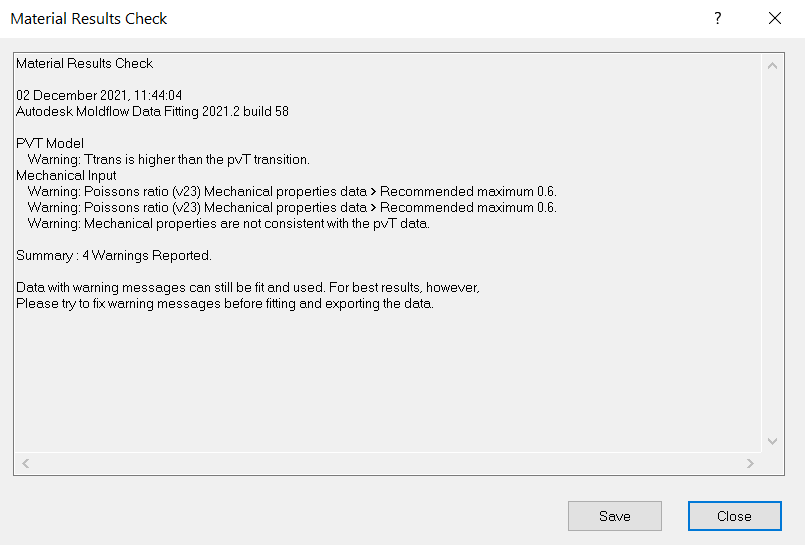
14. Check Results
- Click Check Results to perform data check. Address any errors before proceeding
15. PVT Model (Uncured and Cured)
- Click PVT Model (Uncured or Cured) and Plot to view the fitted and experimental data
Modifying transition temperature (optional)
- Move the two red points to match the transition points for the low and high pressure respectively
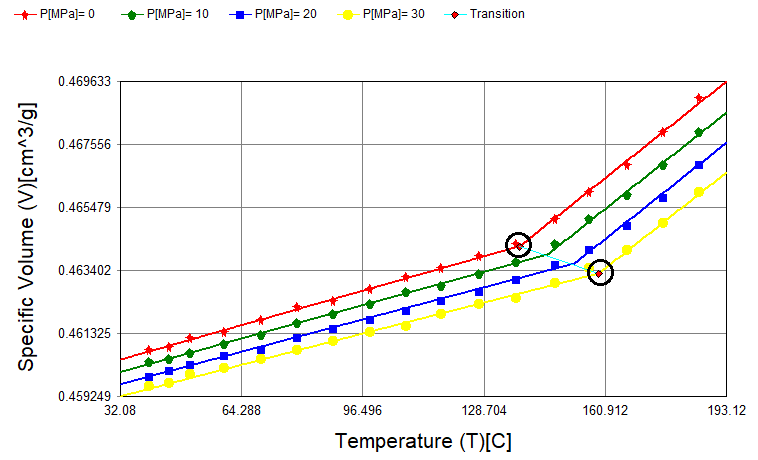
- Right-click and select Refit
16. Generate UDB
- On completion of the data fitting process, check Generate UDB to create the Thermoset 20030.udb file for use in Moldflow analysis