The Set Weights tab applies weight operations to the current selection without using a brush.
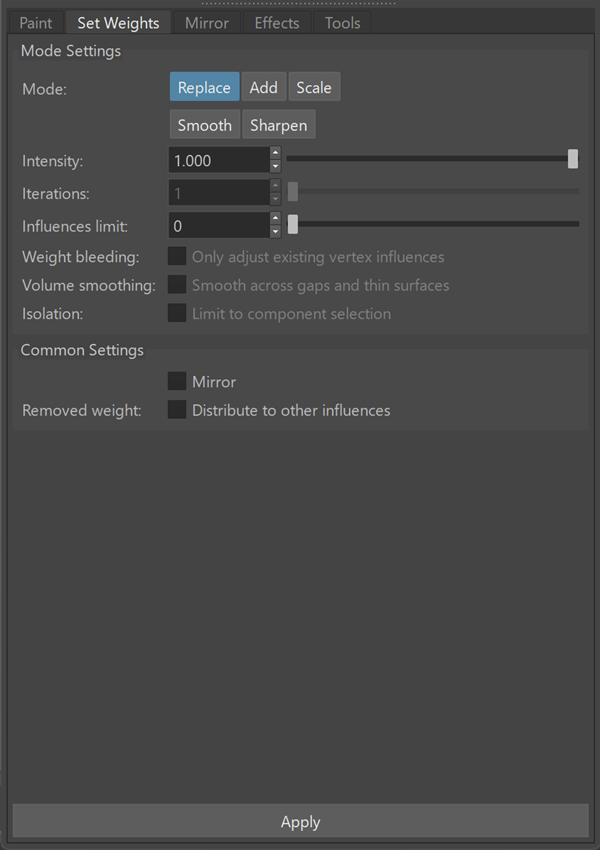
Operations are applied using the selected mode and settings.
Mode Settings
Controls how weights are modified.
| Mode |
Specifies how weights are applied:
|
| Intensity | Controls the strength of the operation. |
| Iterations | Specifies how many times the operation is applied. |
| Influences limit | Limits the number of influences per vertex. |
| Weight bleeding | Limits the operation to existing vertex influences. |
| Volume smoothing | Smooths weights across gaps and thin surfaces. |
| Isolation | Restricts the operation to the current component selection. |
Common Settings
| Mirror | Applies the operation symmetrically. |
| Removed weight: | Redistributes removed weight to remaining influences. |