The Layers section displays and manages skin layers for the active Skin Cluster.
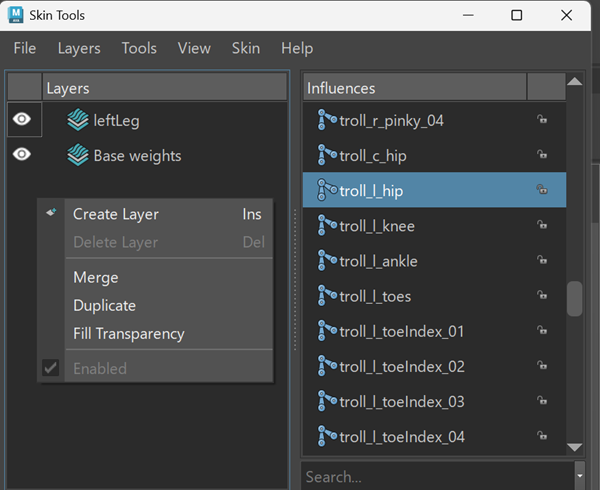
Each layer represents a non-destructive set of skin weight edits. Layers are evaluated in order, with higher layers overriding lower layers.
Selecting a layer makes it the active layer. All painting and weight operations are applied to the active layer.
Layer visibility
Use the visibility icon to enable or disable a layer.
Disabled layers do not contribute to the final skin weights.
Layer operations
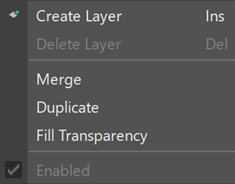
| Right-click in the Layers section to access layer operations. | |
 |
|
| Create Layer | Creates a new layer. |
| Delete Layer | Deletes the selected layer. |
| Merge | Combines selected layers into a single layer. |
| Duplicate | Creates a copy of the selected layer. |
| Fill Transparency | Fills transparent regions in the selected layer. |
| Enabled | Toggles whether the selected layer contributes to the final result. |
Note:
- Layer operations apply to the active skinCluster.
- Multiple layers can be selected for operations such as merge.