The Influences section lists all influences associated with the active skinCluster.
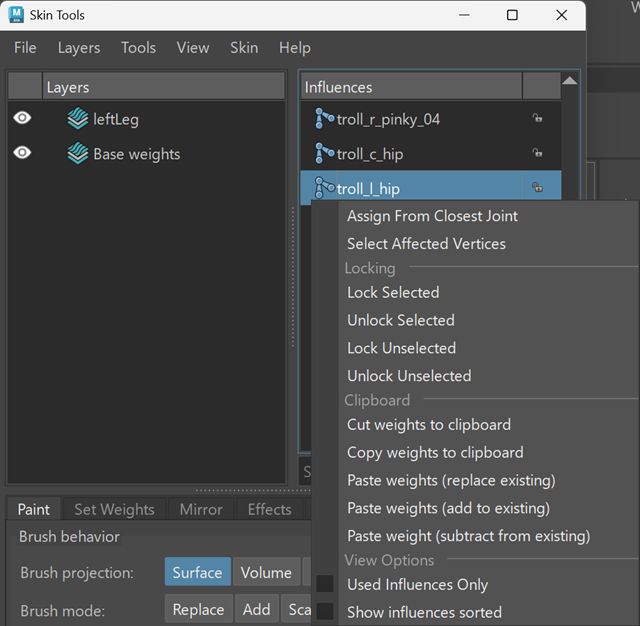
Selecting an influence sets it as the active influence. Painting and weight operations are applied to the selected influence.
Use the search field to filter the list of influences.
Influence operations
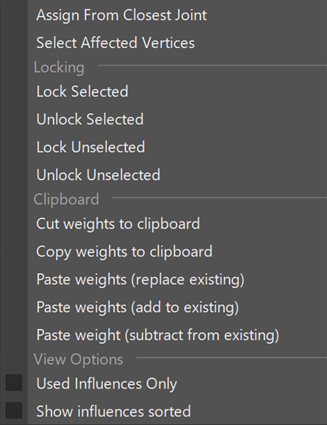
| Right-click an influence to access influence operations. | |
 |
|
| Assign From Closest Joint | Assigns weights based on proximity to the nearest joint. |
| Select Affected Vertices | Selects vertices influenced by the selected joint. |
| Locking | |
| Lock Selected | Locks the selected influence. |
| Unlock Selected | Unlocks the selected influence. |
| Lock Unselected | Locks all unselected influences. |
| Unlock Unselected | Unlocks all unselected influences. |
| Clipboard | |
| Cut weights to clipboard | Copies weights and removes them from the current influence. |
| Copy weights to clipboard | Copies weights for reuse. |
| Paste weights (replace existing) | Replaces existing weights with clipboard values. |
| Paste weights (add to existing) | Adds clipboard weights to existing values. |
| Paste weights (subtract from existing) | Subtracts clipboard weights from existing values. |
| View Options | |
| Used Influences Only | Filter the Influence list to display only influences with non-zero weights in the current layer. |
| Show influences sorted | Displays influences in sorted order. |
Note:
- Influence operations apply to the active layer.
- Multiple influences can be selected for supported operations.