To create a flatness criterion
Create a flatness criterion to monitor how much a specific surface moves out-of-planar, following a warp analysis.
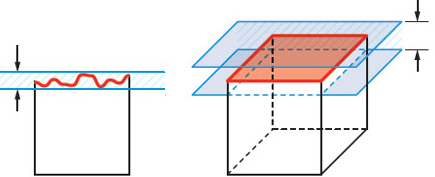
This task assumes you have set up your analysis, and that your analysis sequence includes a Warp analysis.
Make visible the model nodes in the Layers pane.
Click
 (Optimization tab > Criteria panel > Flatness) to open the Flatness Optimization tool.
Select a node that is on a flat surface.
By default, Auto select edge is applied. When you select a surface node, all nodes on that surface are automatically selected.
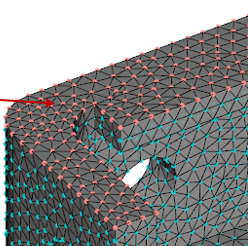
- Click Auto select edge to turn off the autoselect, and select the nodes manually.
Enter a unique name in Selection name, that describes the selection, so you can associate it later with the appropriate surface.
- Click the arrow associated with View saved criteria, to see the names of criteria you have already created.
Click Apply to create the flatness criterion.
You can continue to create additional flatness criteria, saving each selection and clicking Apply.
Click Close to close the Flatness Optimization tool.
These criteria are selected by default in the Criteria tab of your optimization analysis.