This option only appears when working with assemblies.
Right-click on Displacement in a subcase and select Edit. Check the box beside the Part View tab.
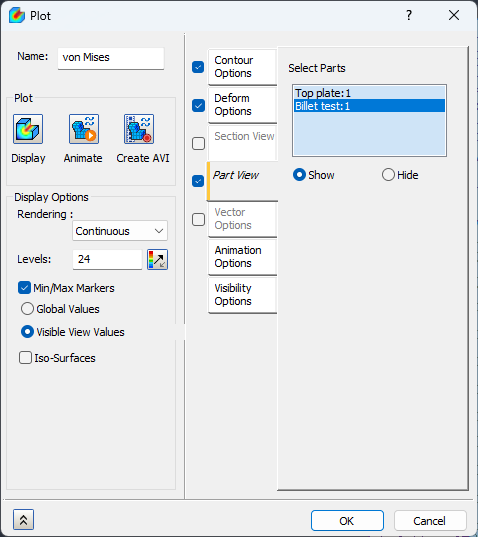
The Part View tab has the following main features:
-
Select Parts:
- Select individual parts of the assembly.
- Show/Hide radio button controls the visibility of the selected parts of the assembly.
- Click on Display button located under the Plot section of the Plot dialog form to view the resulting visible parts.
- To view/hide more parts simply click back on the selected parts list to reactivate it, enabling all solid geometry once again to be selected.
- Select individual parts of the assembly.
 This enables you to ignore certain parts of an assembly when viewing the post-processing results.