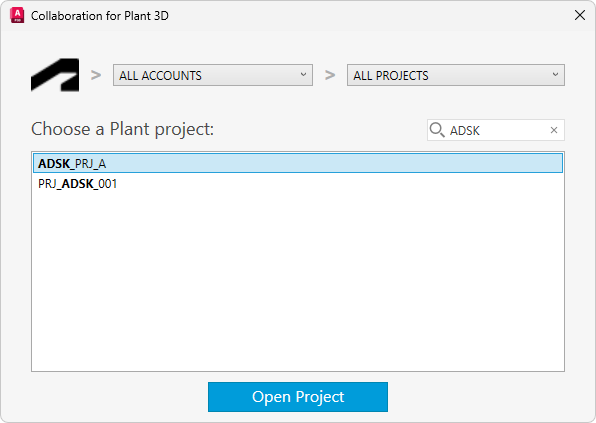
- In the Project Manager, Project drop-down list, click Open Collaboration Project.
Note: If you are not signed in to your Forma Data Management, you are prompted to sign in.
A list of Plant projects you have access to is displayed. The drop-down list at the left (above the Plant projects) displays the Forma Data Management accounts you have access to. The drop-down list at the right displays the Forma (Autodesk) project folders you have access to within that account.
Note: If you do not have a Forma Data Management account or project folder created, a dialog box with information about how to create a Forma Data Management account or project is displayed. - Choose the project that you want to work on and click Open Project.
The project opens from Forma Data Management. Project information is copied locally so it may take some time to open the project the first time due to initial syncing or downloading of the project.
Note: As you type in the search box, terms that match your search are displayed in bold.