Reorient and navigate a model's view using a 3Dconnexion 3D mouse.
The 3Dconnexion 3D mouse has a pressure-sensitive controller cap designed to flex in all directions. Push, pull, twist, or tilt the cap to pan, zoom, and rotate the current view.
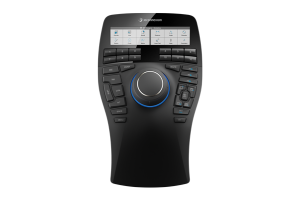
3Dconnexion SpaceMouse® Enterprise
Note: Make sure to download the latest
3DxWare drivers for your operating system.
When a view change occurs with the 3Dconnexion 3D mouse, the ViewCube tool is reoriented to reflect the current view. You can change the behavior of the 3Dconnexion 3D mouse using the Settings page that is accessible from 3Dconnexion Home.
For devices with programmable buttons, you can assign Revit shortcuts using the Buttons page that is accessible from the Settings page.