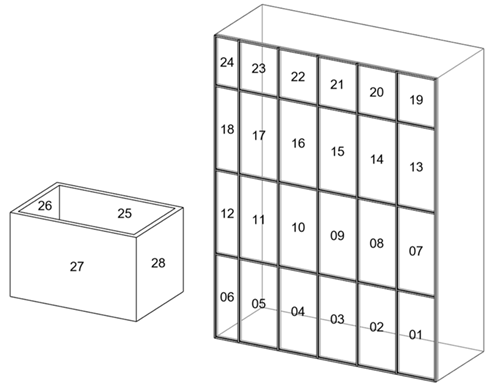
Create a numbering template to number walls and curtain panels in the same numbering sequence and number formatting (01, 02,...).
Steps:
- Open numbering options and create a new template called Walls and Curtain Panels.
-
Filter - click Filters to open the Filters dialog.
- Create a filter for the Walls and Curtain Panels categories.
- Numbering parameter - select Mark.
- Partitioning - OFF.
- Element matching - OFF.
- Number Formatting - click Edit next Number formatting to open the Number formatting dialog.
- Click in the "Select minimum digit count for <Number>" drop down and choose 2.
- Click Apply in the Numbering Options dialog to apply the template.
- Optionally, review the numbering sequences. Since no partitions are defined, all elements are in the same sequence - partition = <Unassigned>.
| Partition | Starting Value | In Use | Count |
|---|---|---|---|
| <Unassigned> | 1 | 01-28 | 28 |