From the Revit Home page, you can view and manage Revit models stored in Forma Data Management and create new Forma Data Management projects.
Note: You must be a member of a
Forma Data Management project to view and access these
Revit models. See
How Do I Access Cloud Models for Revit?.
To open a Revit model
- Access Revit Home when you start the software.
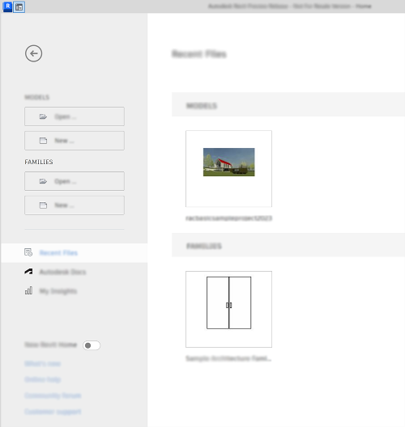
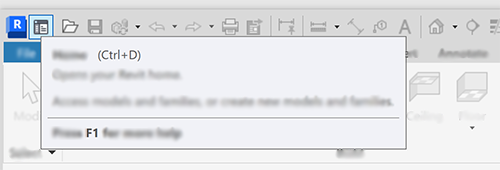
- Return to it at any time by clicking
 (Home) the Quick Access toolbar or pressing CTRL+D.
- Click a Forma Data Management project name at the top of the right pane.
- Double-click the name of the model you wish to open.
To open a Forma Data Management project
- In the left pane, click the
Forma Data Management icon to open a browser window and access the project data in
Forma Data Management.
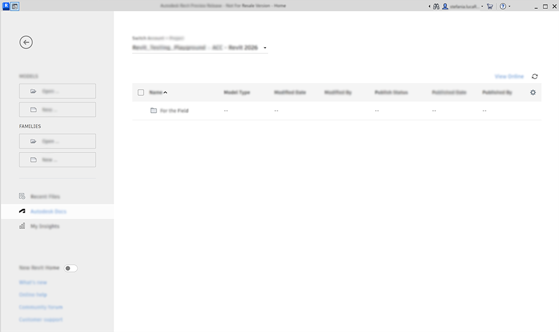
- Navigate to a project that contains Revit cloud models.
To manage cloud models, click the ellipsis ( … ) to the right of a model. For the selected model, you can:
- Open with Worksets
- Open and Audit
- Publish Latest or Publish Latest Without Links
To publish multiple models, click the checkbox to the left of one or more models and click Publish or Publish without Links.
Note: For the best performance, use this option to publish a model with or without links. See Publish Cloud Models.
- Version History to display a list of synchronized versions for the model. You can filter the number of version shown for the last 30, 60, or 90 days, or all versions. Use the search field to filter the list based on the By, Comments, or Date fields. To open a version of the model, click the ellipsis ( … ) to the right of a version and click Open.
- Relinquish to relinquish the ownership of model elements so that other users can work on those elements. When a user who owns model elements is not available to relinquish those elements, you can force the relinquishment of those elements. This tool is useful if a user has ownership of elements, but is not available for an extended period of time. See
Relinquish Elements in a Workshared Cloud Model.
Note: You can also relinquish elements for yourself or the user currently logged in to Revit without opening the model.
To create a Forma Data Management project
- Click the + (plus symbol) at the top of the project list.
- Enter a name for the project and click Create Project.
Note: The project is created under the current Forma hub where you are a project admin.
- (Optional) Drag and drop a local folder to create the same folder structure for your new project. Click Next.
- (Optional) Enter the email address for each team member you want add to the project. Click Next.
- Click the Go To Forma Data Management button to view the project or click Close.
Note: The option to create a project is enabled by default unless it has been disabled in the Revit.ini file. See
Misc. Settings in Revit.ini.