Work with annotations in a focused edit mode that makes it easier to adjust their position and presentation.
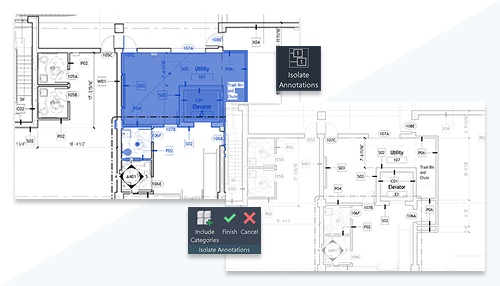
Isolate Annotations displays annotation elements in the foreground while model elements are displayed in halftone and cannot be selected. Create and edit annotations while the mode is active, and use Include Categories to control which annotation categories are isolated and available for selection.
You can also switch between views while working in Isolate Annotations. Your Include Categories settings persist as you switch views.
See Isolate Annotations.
 This feature was suggested by customers and is described on the
product road map.
This feature was suggested by customers and is described on the
product road map.