VRED Material Improvements
VRED Material Improvements introduce Thin Film support, enabling realistic, angle‑dependent light interference effects such as oil slicks, soap bubbles, and coated glass across key material types. In addition, GPU raytracing now supports Shader Execution Reordering (SER), delivering faster convergence and significantly improved performance in complex, material‑heavy scenes.
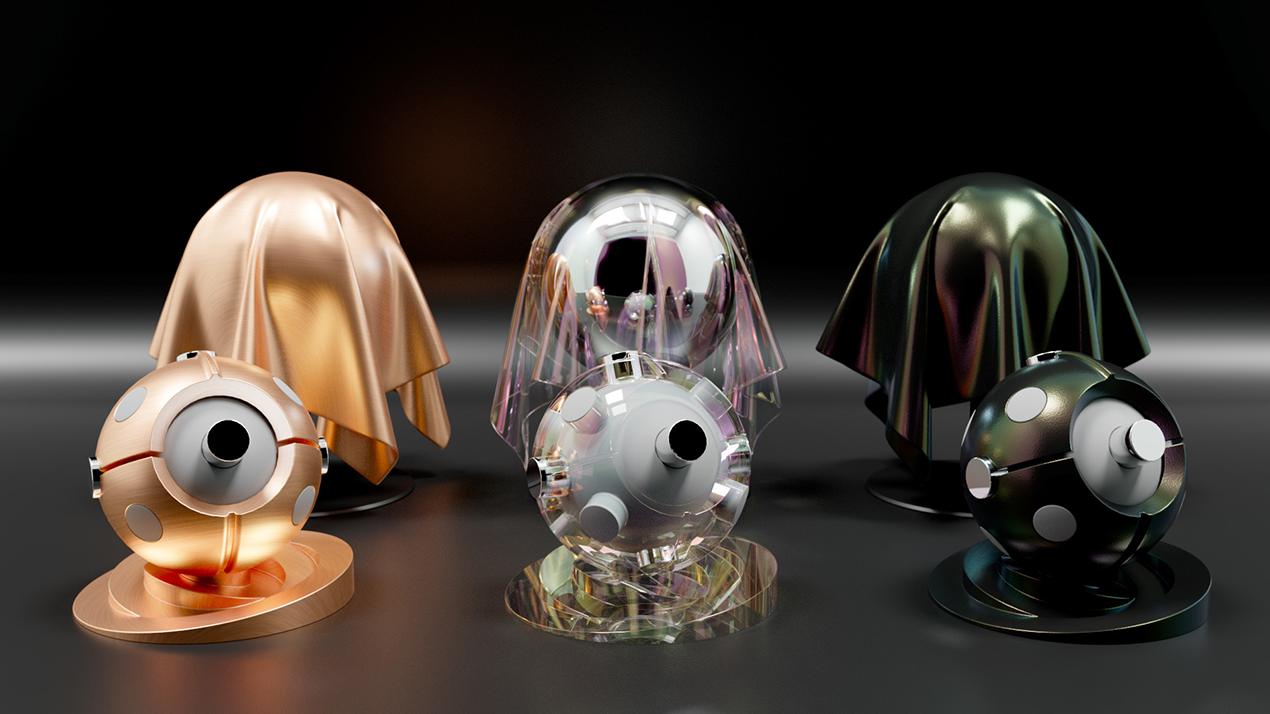
Thin Film support for VRED Material
Thin Film simulates light interference in a thin layer on a surface, producing angle-dependent colored reflections based on film thickness and IOR. You see this effect in oil slicks, soap bubbles, and coated glass, where it affects both reflection and transmission. Metals such as Brushed Metal and Chrome behave differently from dielectric surfaces: instead of rainbow colors, they tend to show darkening or increased saturation.
Thin Film is supported in Vulkan, GPU and CPU raytracing, and across Plastic, Metallic Carpaint, Chrome, Brushed Metal, and Glass materials.
 For more information, see Plastic, Metallic Carpaint, Chrome, Brushed Metal, and Glass in the VRED Materials Reference section.
Line Chrome material support in VRED 2027.1
Starting in VRED 2027.1, the Vulkan renderer no longer supports the Line Chrome material. When you render line tubes in Vulkan, use any standard material or the Chrome material instead. The OpenGL renderer still supports the Line Chrome material.